Software Procurement Best Practices
Software procurement best practices keep software buying deliberate, secure, and cost-controlled. Start with a real needs analysis, evaluate total cost of ownership and vendor security (not just the sticker price), centralize buying to curb shadow IT, negotiate licensing and renewals, and manage each tool through its lifecycle. The goal is software that fits the business, is secure, and does not quietly bloat your budget.
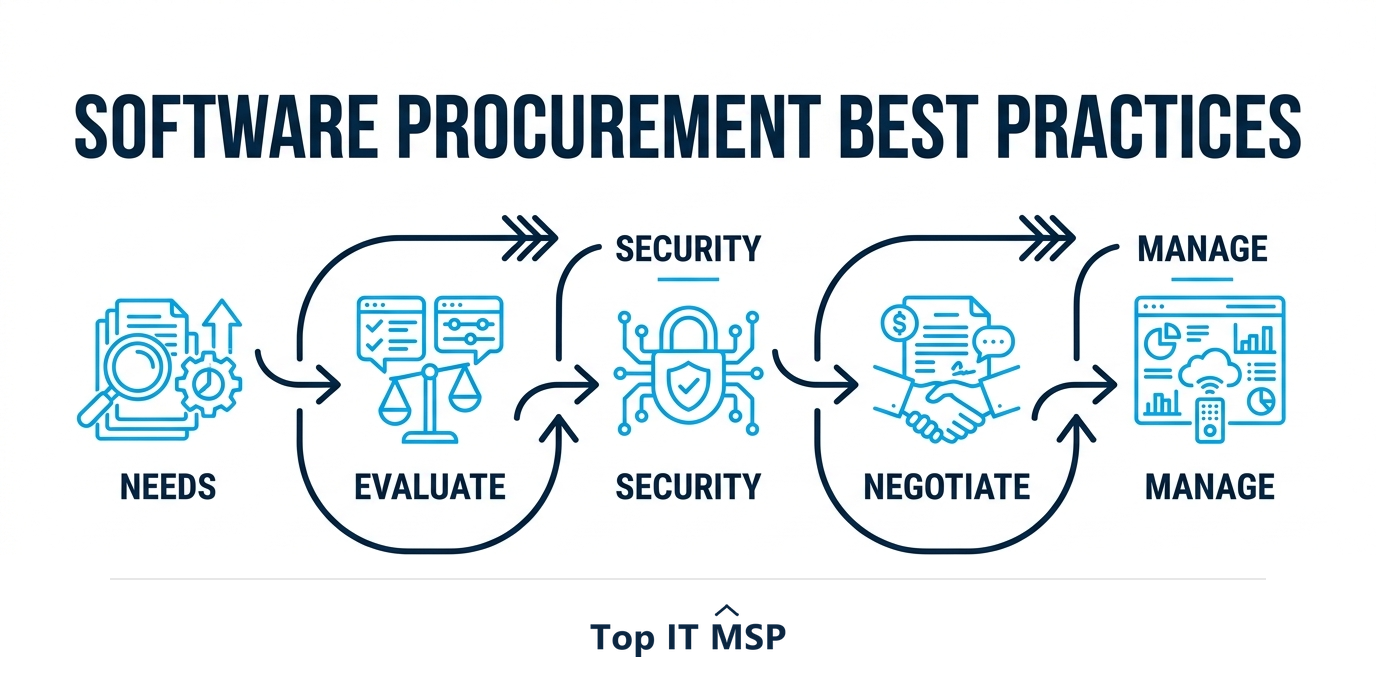
- Software procurement is a process, not a purchase: define needs, evaluate, buy, then manage renewals.
- Start with a needs analysis tied to a business problem, not a vendor demo.
- Evaluate total cost of ownership and vendor security, not just the subscription price.
- Centralize buying to curb shadow IT, and negotiate licensing and auto-renewals.
- Track usage and renewals so you stop paying for unused or duplicate software.
Why software procurement needs a process
Software procurement is how a business chooses, buys, and manages the software it runs on, from accounting and CRM systems to the dozens of SaaS subscriptions a modern company accumulates. It sounds simple, click subscribe, but done without a process it leads to overspending, security gaps, redundant tools, and a tangle of subscriptions nobody fully tracks. With software now a major and growing line in every IT budget, and worldwide public cloud spending forecast to top $723 billion in 2025 as more of it moves to subscription models, treating procurement as a deliberate process is how you keep software spend under control and secure.
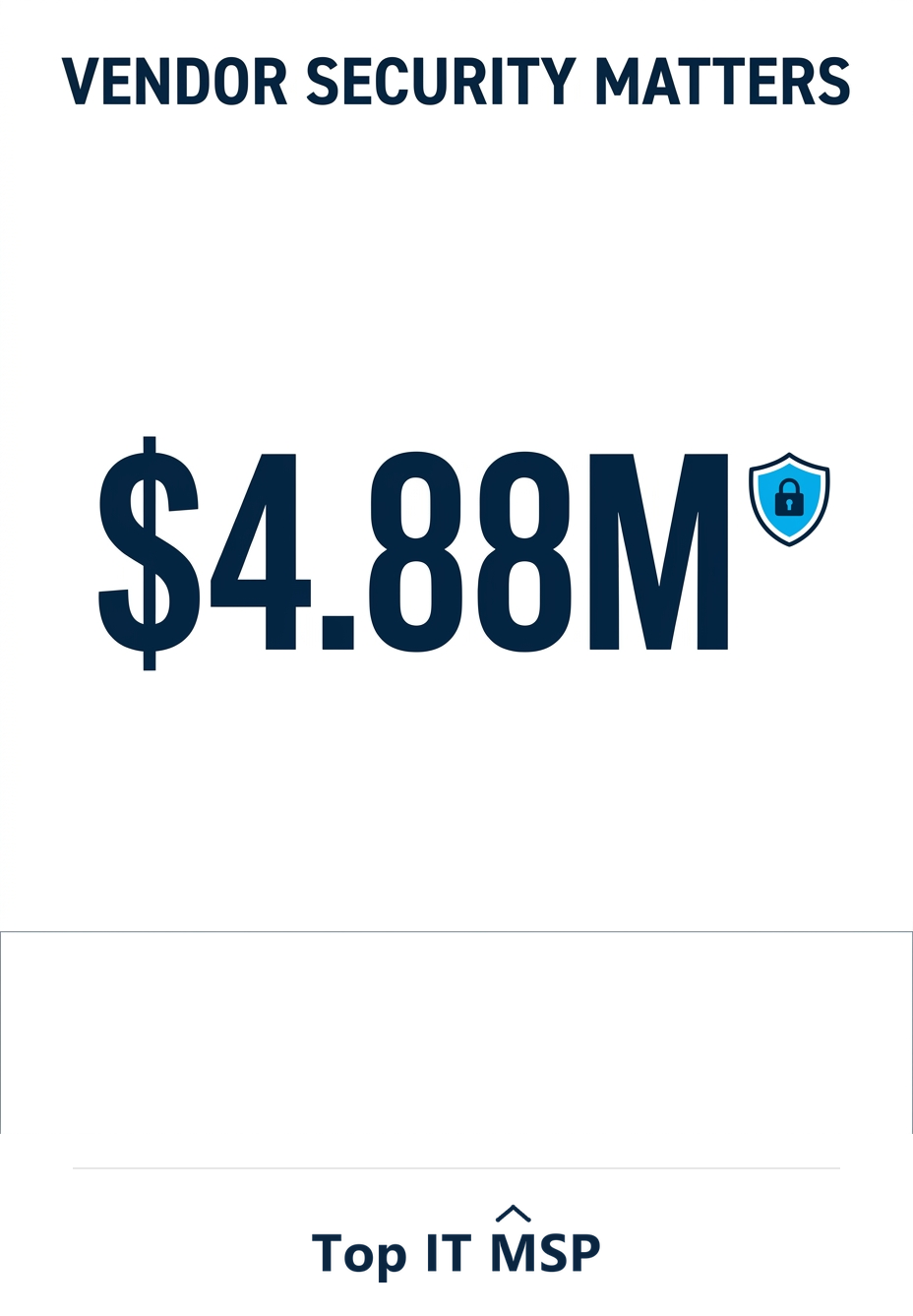
The stakes are not only financial. Every piece of software you adopt becomes part of your attack surface, and a vendor's weakness can become your breach, a real risk when the average data breach costs $4.88 million. Good software procurement balances three things at once: getting software that fits the need, keeping it secure, and controlling cost. This guide covers the best practices that achieve all three. It pairs with our IT procurement services overview.
Best practice 1: Start with needs, not a sales demo
The most common mistake is buying software because a demo impressed someone, before defining what the business actually needs. Reverse that order. Begin with the business problem you are solving and write down the specific requirements any solution must meet: the features, the number of users, the integrations with your existing systems, and the constraints. This needs analysis becomes your scorecard, letting you compare options objectively instead of being swayed by sales polish. It also prevents the expensive trap of buying powerful, feature-rich software you only use a small fraction of, paying premium prices for capabilities that sit idle while the real problem goes unsolved.
Best practice 2: Evaluate total cost of ownership
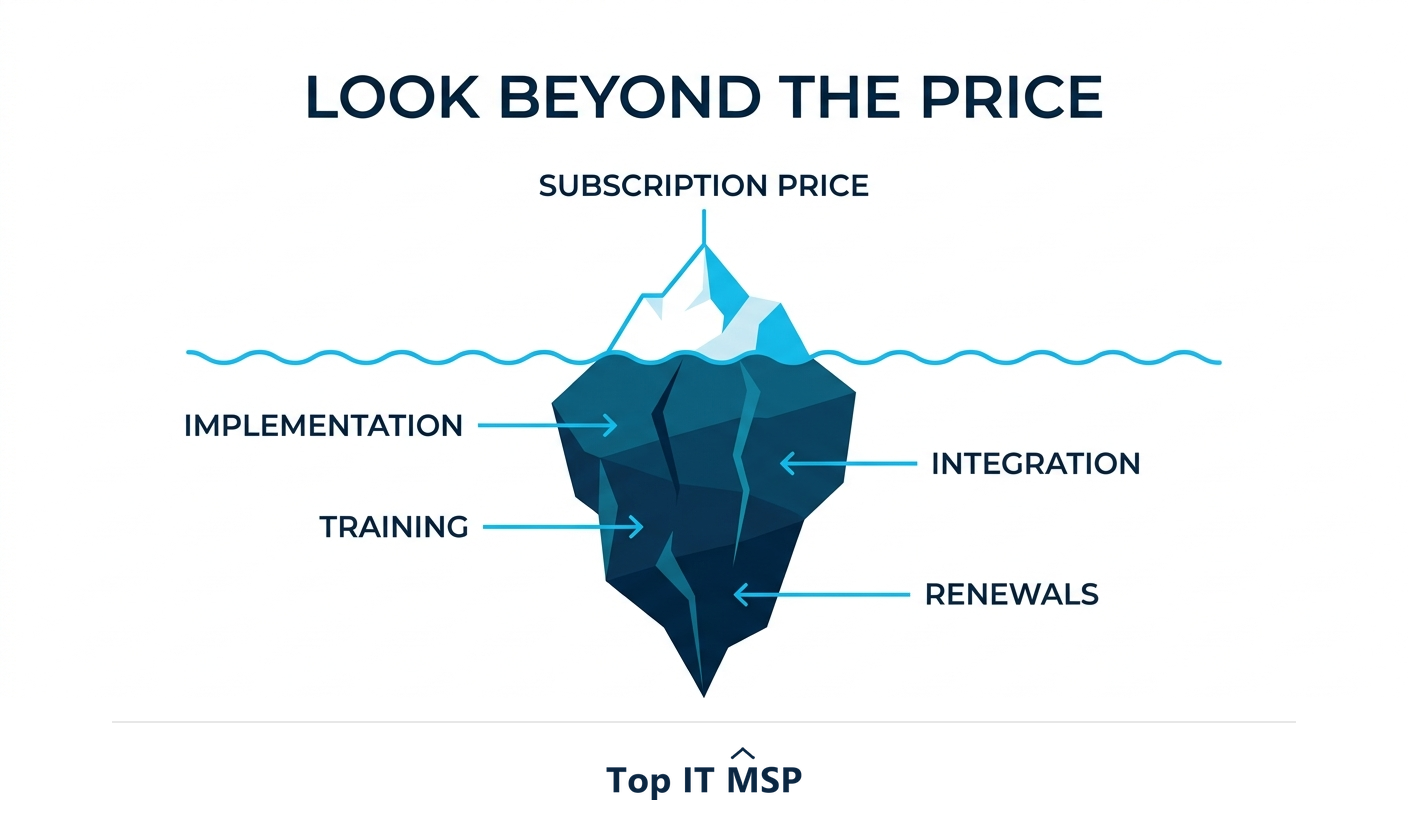
The subscription price is only the visible tip of the cost. Total cost of ownership includes implementation, data migration, training, integration with other tools, support tiers, and the cost of renewals that often rise after the first year. The cheapest headline price can easily become the most expensive option once these are counted. Evaluate the full lifetime cost before you commit, and be especially wary of per-user pricing that balloons as you grow and of add-ons that are essential but priced separately.
Best practice 3: Vet vendor security
Because software, especially SaaS, often holds or touches your data, the vendor's security is your security. Before buying, assess how the vendor protects data, what certifications and compliance they hold (such as SOC 2), how they handle access and encryption, and how they would respond to an incident. A cheap tool from a careless vendor can expose your data and trigger a breach, which takes about 258 days to identify and contain on average, and reported cybercrime losses topped $12.5 billion in a single year. Make security a required part of the evaluation, not an afterthought, particularly for any software that handles customer, financial, or regulated data.
Best practice 4: Centralize buying and curb shadow IT
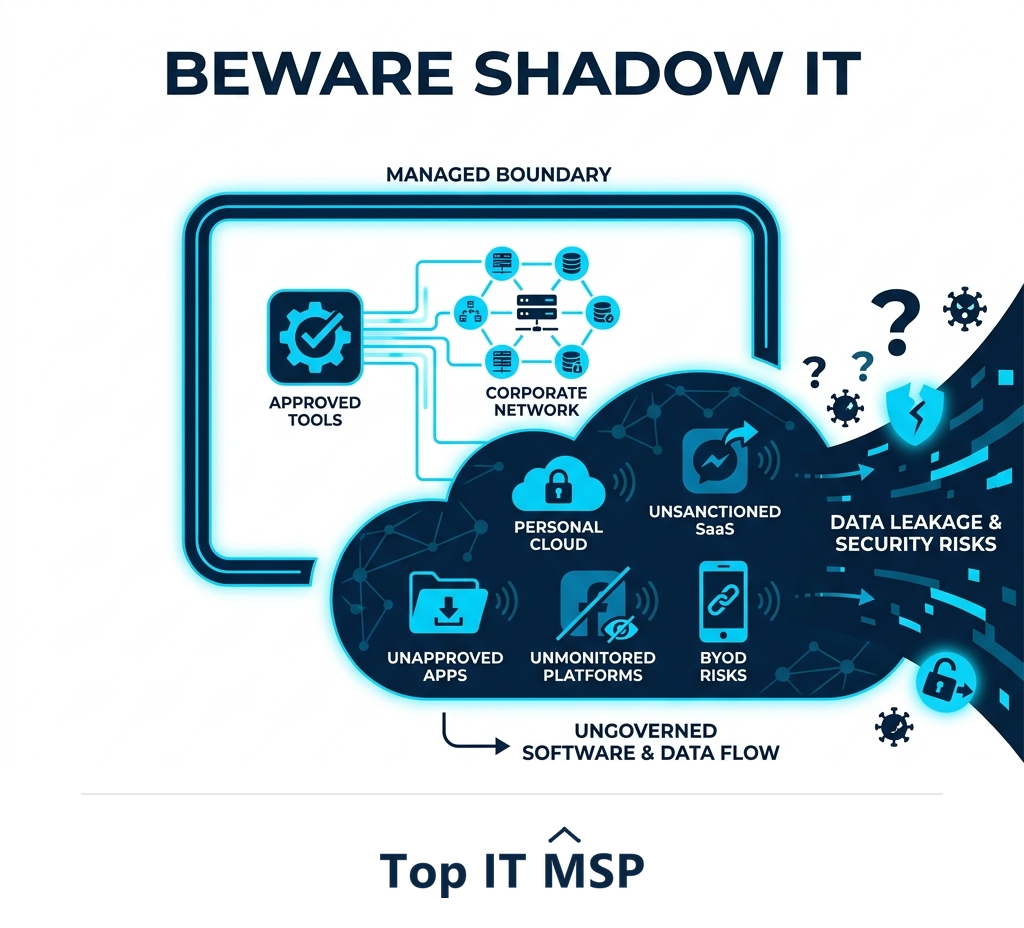
When anyone can buy software on a credit card, you get shadow IT: unapproved tools scattered across the business that no one is securing, tracking, or budgeting. Shadow IT is both a security risk, because these tools are unvetted and unmanaged, and a cost drain, because of duplication and forgotten subscriptions. The fix is a defined procurement process that routes software purchases through approval, so every tool is vetted and recorded. This does not have to be bureaucratic; it just needs to be the clear, easy default path for getting new software, fast enough that people use it rather than route around it.
Best practice 5: Negotiate licensing and renewals
Software pricing is rarely as fixed as it looks, especially for business and enterprise tools. Negotiate on price, contract length, user counts, and terms, and pay close attention to renewals, which frequently increase automatically and quietly. Read the auto-renewal and price-increase clauses before you sign, and set reminders well ahead of renewal dates so you negotiate from a position of choice rather than being locked into an automatic rollover. For multi-year or high-value purchases, even modest negotiated savings compound significantly across the organization, and asking is almost always worth it because the worst answer you will get is no.
Best practice 6: Manage the full software lifecycle
Procurement does not end at purchase. Track what software you own, who uses it, and whether it is still delivering value. Regularly review usage and remove or downgrade tools that are underused, duplicated, or abandoned, a process that almost always uncovers savings, because subscriptions are easy to start and easy to forget. Keep software patched and supported, since unmaintained applications become security holes and can fail outright, contributing to outages that cost most organizations more than $100,000 an hour. Plan renewals and replacements deliberately rather than letting them happen by default. This ongoing management is what keeps your software estate lean, secure, and aligned with what the business actually needs, and it is the step most often skipped, which is exactly why so many businesses are quietly paying for tools nobody has opened in months.
Getting software procurement right
Applied together, these practices turn software buying from a source of waste and risk into a controlled, strategic function. The challenge is doing it consistently across a growing pile of tools, which takes time and expertise that many businesses lack, especially amid a global shortfall of about 4.8 million cybersecurity and IT professionals. Many small and midsize businesses have a managed IT provider or virtual CIO run software procurement and vendor management for them, bringing experience, vendor relationships, and security expertise. It is part of why the managed services market is projected to grow from about $330 billion in 2024 to about $879 billion over the next decade.
If you want to bring discipline to your software procurement and stop paying for tools you do not use, a provider can build the process and manage it. Browse vetted, merit-ranked firms by city in the Top IT MSP directory, where ranking is earned on rating and verified data.
Frequently asked questions
What are software procurement best practices?
The core best practices are: start with a needs analysis tied to a business problem rather than a demo, evaluate total cost of ownership not just the subscription price, vet each vendor's security, centralize buying to curb shadow IT, negotiate licensing and renewals, and manage each tool through its lifecycle by tracking usage and removing what is unused.
What is total cost of ownership in software procurement?
Total cost of ownership is the full lifetime cost of software, including implementation, data migration, training, integration, support tiers, and renewals that often rise after the first year, not just the subscription price. The cheapest headline price can become the most expensive option once these are counted, so evaluate the complete cost before committing.
Why does vendor security matter in software procurement?
Because software, especially SaaS, often holds or touches your data, so the vendor's security is effectively your security. A weak vendor can expose your data and trigger a breach, and with the average breach costing $4.88 million, security must be a required part of the evaluation, including how the vendor protects data, their certifications, and their incident response.
What is shadow IT and why is it a problem?
Shadow IT is unapproved software bought outside the procurement process, scattered across the business and not secured, tracked, or budgeted by IT. It is both a security risk, since these tools are unvetted and unmanaged, and a cost drain through duplication and forgotten subscriptions. A clear procurement process that routes purchases through approval curbs it.
How do you control software costs?
Evaluate total cost of ownership before buying, centralize purchasing to avoid duplicate and shadow tools, negotiate licensing and watch auto-renewal price increases, and regularly review usage to remove or downgrade underused subscriptions. Because software subscriptions are easy to start and forget, ongoing lifecycle management almost always uncovers savings.
Should a business outsource software procurement?
Many small and midsize businesses benefit from having a managed IT provider or virtual CIO run software procurement and vendor management. A partner brings experience, vendor relationships, and security expertise, and applies a consistent process across a growing pile of tools, turning software buying from a source of waste and risk into a controlled, strategic function.
Related reading
Bring discipline to your software buying
Top IT MSP is the independent directory of vetted managed IT providers across North America. Compare merit-ranked firms in your city that run software procurement and vendor management. No pay-to-play.
Top IT MSP is an independent directory that connects you with vetted managed IT providers. Browse the directory city by city:
- Managed IT Services in Phoenix
- Managed IT Services in Atlanta
- Managed IT Services in Philadelphia
- Managed IT Services in New York
- Managed IT Services in San Jose
- Managed IT Services in Santa Ana
- Managed IT Services in Savannah
- Managed IT Services in Scottsdale
- Managed IT Services in Seattle
- Managed IT Services in Spokane