HIPAA Compliant File Sharing: A Practical Guide
HIPAA compliant file sharing means exchanging protected health information (PHI) using a service that encrypts data in transit and at rest, controls and logs access, and is backed by a signed Business Associate Agreement (BAA) with the vendor. Standard email and free consumer file-sharing tools usually fail these tests. Use a HIPAA-eligible platform with a BAA, configure it correctly, and train staff.
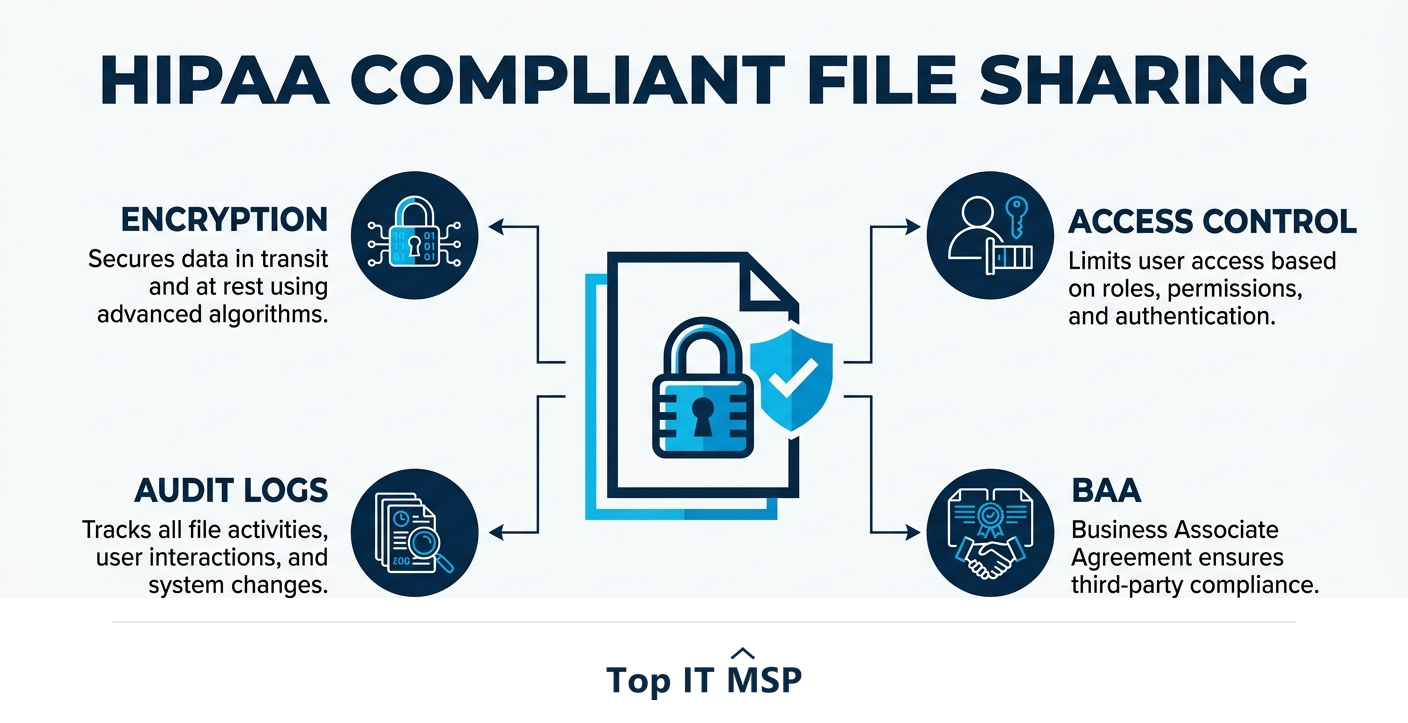
- HIPAA compliant file sharing requires encryption in transit and at rest, access controls, and audit logs.
- You must have a signed Business Associate Agreement (BAA) with any vendor that handles your PHI.
- Standard email and free consumer file-sharing tools usually are not HIPAA compliant.
- The tool alone is not enough: it must be configured correctly and staff must be trained.
- Healthcare is the most breached industry, so getting PHI sharing right is high-stakes.
What makes file sharing HIPAA compliant?
If your organization handles protected health information (PHI), how you share files is a compliance issue, not just an IT preference. HIPAA does not endorse specific products; instead it requires that any system handling PHI meets safeguards for confidentiality, integrity, and availability. For file sharing, that translates into a clear set of requirements: the data must be encrypted both in transit and at rest, access must be controlled so only authorized people can reach it, every access must be logged so you have an audit trail, and the vendor providing the service must sign a Business Associate Agreement (BAA) taking on their share of HIPAA responsibility. Miss any of these, and the sharing is not compliant, no matter how convenient the tool.
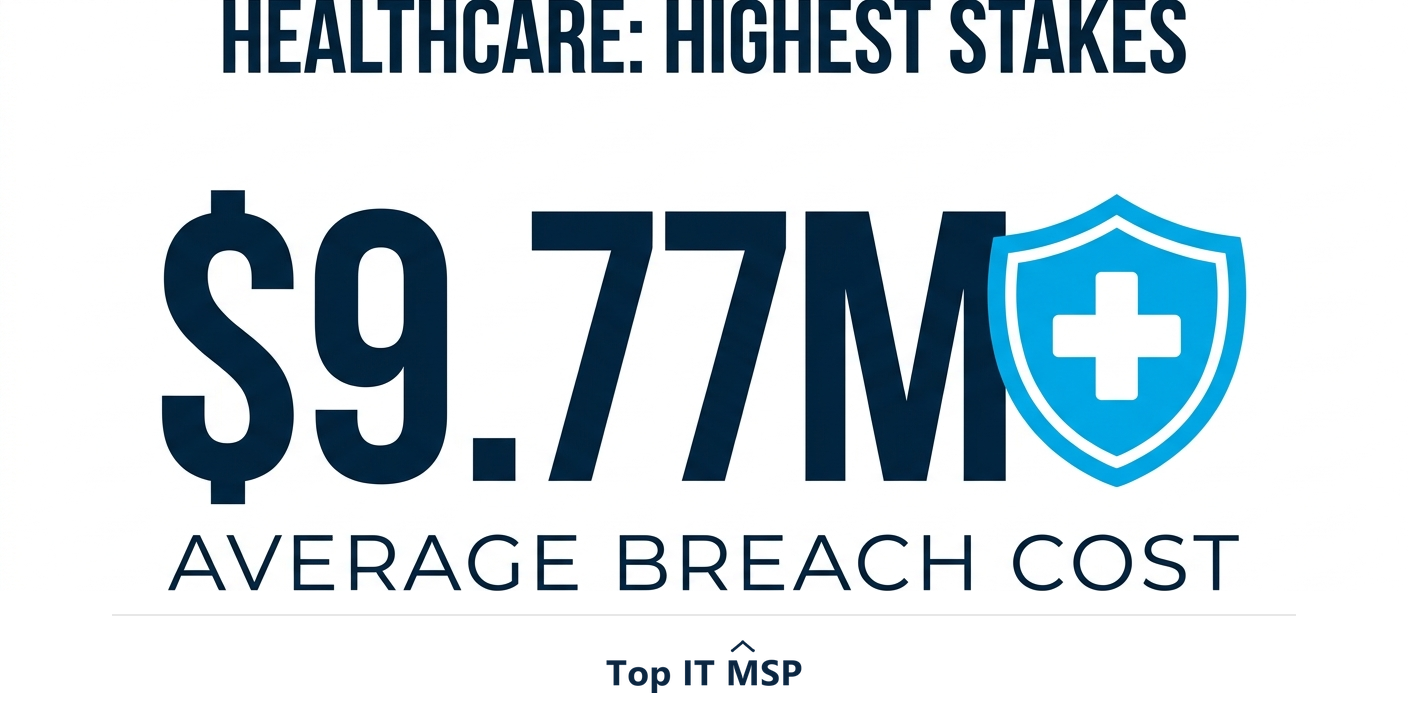
The stakes are uniquely high in healthcare, which is the most expensive industry for breaches at an average of $9.77 million, well above the all-industry average of $4.88 million. Breaches also drag on, taking about 258 days to identify and contain, and reported cybercrime losses topped $12.5 billion in a single year. A single careless file share can trigger a breach, a regulatory penalty, and a loss of patient trust. This guide explains the requirements, what to avoid, and how to share PHI safely. It pairs with our HIPAA compliance services and healthcare IT services overviews.
The core requirements
Every HIPAA compliant file-sharing setup must satisfy these, which map directly to the HIPAA Security Rule's safeguards:
- Encryption in transit and at rest. PHI must be encrypted while moving between systems and while stored, so intercepted or stolen data is unreadable.
- Access controls. Only authorized users can access the files, enforced with unique logins, multi-factor authentication, and least-privilege permissions.
- Audit logging. The system records who accessed what and when, so you can detect misuse and prove compliance.
- A signed Business Associate Agreement (BAA). The vendor handling your PHI must contractually accept HIPAA obligations; without a BAA, using their service to share PHI is a violation.
- Control over sharing. The ability to set expirations, revoke access, and prevent unauthorized forwarding or downloading.
Why email and free tools usually fail
The most common HIPAA file-sharing mistakes involve familiar, convenient tools that were never built for PHI. Standard email is a frequent culprit: regular email is generally not encrypted end to end and offers no access control or BAA, so emailing PHI in a message or attachment is risky and often non-compliant. Free consumer file-sharing accounts are another trap: the free tiers of popular cloud-storage tools typically do not come with a BAA, and a vendor will not sign one for a free consumer account, which alone makes them unsuitable for PHI.
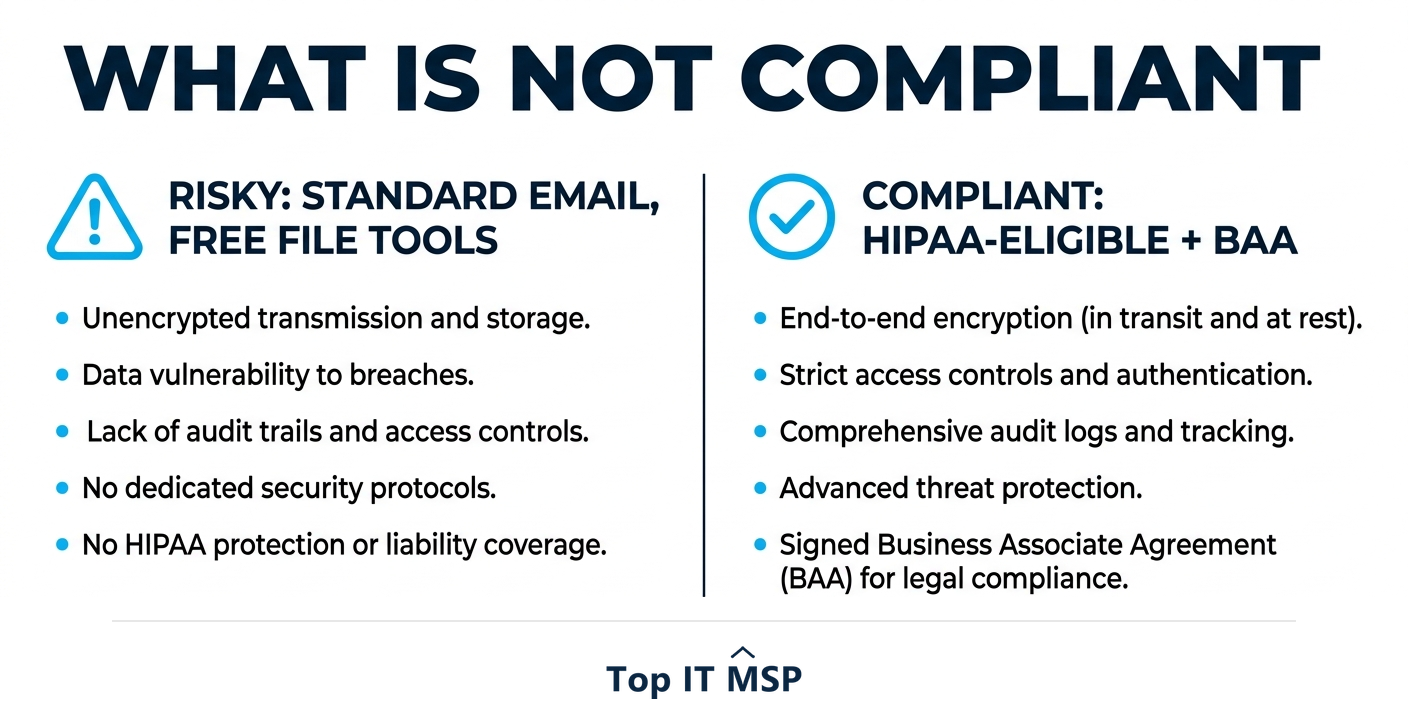
The danger is that these tools feel normal and work fine, so staff use them without realizing they are creating a compliance gap. The fix is to provide a compliant alternative that is just as easy, because if the compliant path is harder, people will route around it.
What HIPAA compliant file sharing looks like
Compliant file sharing uses a HIPAA-eligible platform configured correctly and backed by a BAA. In practice that usually means one of a few approaches: a HIPAA-eligible cloud platform (major providers like Microsoft 365 and Google Workspace offer business plans that will sign a BAA and support the required controls), a dedicated secure file-sharing or secure-email service built for healthcare, or an encrypted patient portal for sharing with patients. The common thread is that the vendor signs a BAA, the data is encrypted, access is controlled and logged, and you can manage sharing. Crucially, eligibility is not automatic, you must be on the right plan and configure it to actually enforce these protections.
Configuration and people matter as much as the tool
A HIPAA-eligible tool is necessary but not sufficient. The same platform can be compliant or not depending on how it is set up: encryption and MFA must be enabled, permissions must follow least privilege, external sharing must be controlled, and logging must be turned on and monitored. And because people are the weak point, with the human element involved in 68 percent of breaches, staff must be trained on what they can and cannot do, share PHI only through approved channels, never to personal accounts, verify recipients, and use the access controls. A perfectly compliant tool used carelessly still leads to a breach, so configuration and training are not optional extras; they are where compliance is actually won or lost.
Your HIPAA file-sharing checklist
Use this checklist to confirm your PHI sharing is compliant:
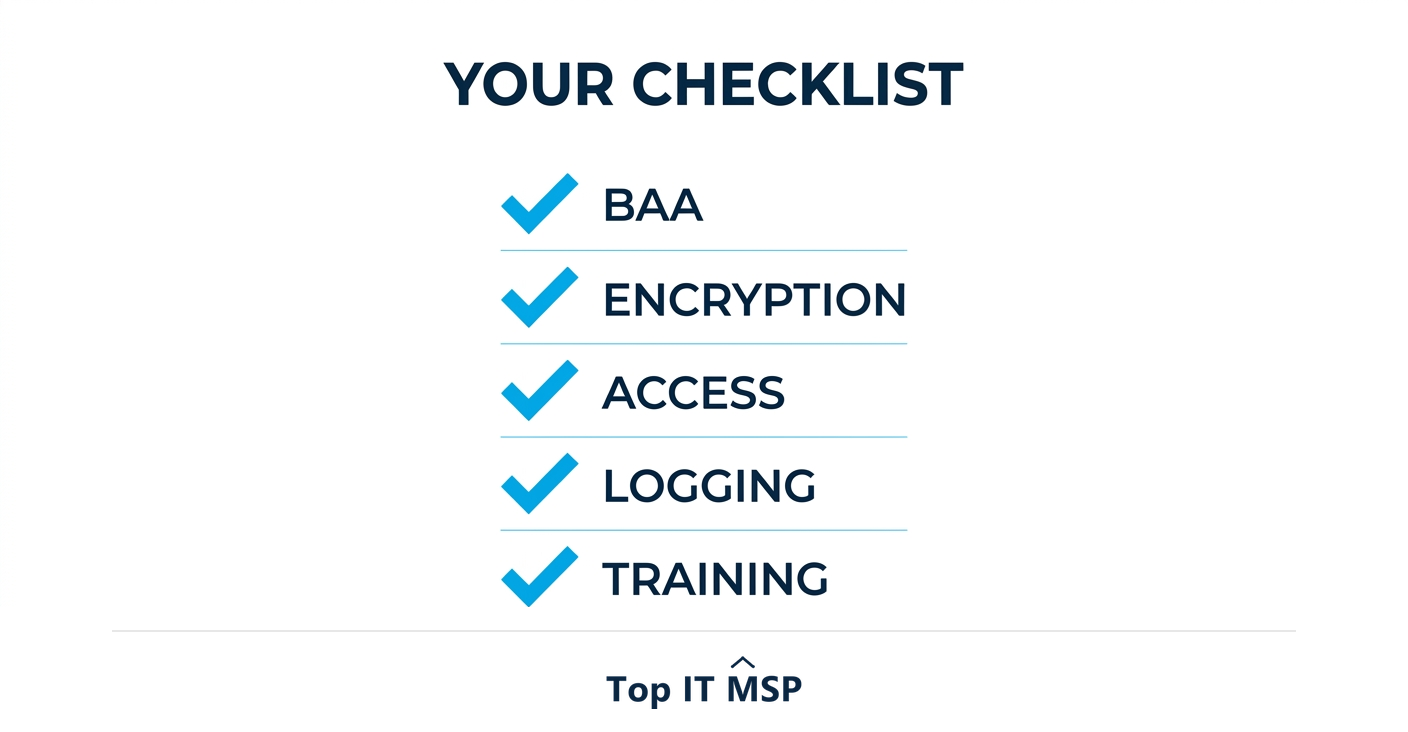
- BAA signed with every vendor whose service touches PHI.
- Encryption enabled for data in transit and at rest.
- Access controls in place: unique logins, MFA, and least-privilege permissions.
- Audit logging turned on and reviewed.
- Sharing controls configured: expirations, revocation, and limits on forwarding and download.
- Staff trained to use only approved channels and to handle PHI correctly.
- Policies documented so your approach is written down and enforceable, and forms part of your HIPAA documentation.
Getting HIPAA file sharing right
Setting up genuinely compliant file sharing, choosing HIPAA-eligible tools, getting BAAs in place, configuring the controls, and training staff, takes healthcare-IT expertise that many practices lack in-house, especially amid a global shortfall of about 4.8 million cybersecurity and IT professionals. Many healthcare organizations work with a managed IT provider experienced in HIPAA to deploy compliant sharing, sign the necessary BAAs, configure the controls, and document everything for audits. It is part of why the managed services market is projected to grow from about $330 billion in 2024 to about $879 billion over the next decade. The wrong move here is expensive, given healthcare's leading breach costs.
If you handle PHI and want file sharing that is both compliant and easy for your team, a HIPAA-experienced provider can set it up properly. To find one, browse vetted, merit-ranked firms by city in the Top IT MSP directory, where ranking is earned on rating and verified data. (This guide is general information, not legal advice; confirm requirements with a HIPAA compliance professional.)
Frequently asked questions
What makes file sharing HIPAA compliant?
HIPAA compliant file sharing requires that protected health information (PHI) is encrypted in transit and at rest, that access is controlled so only authorized users can reach it, that every access is logged for an audit trail, and that the vendor providing the service has signed a Business Associate Agreement (BAA). You also need control over sharing, such as expirations and revocation. Missing any of these makes it non-compliant.
Is email HIPAA compliant for sharing PHI?
Standard email usually is not. Regular email is generally not encrypted end to end and offers no access control or Business Associate Agreement, so emailing PHI in a message or attachment is risky and often a HIPAA violation. Compliant email requires an encrypted, HIPAA-eligible service with a signed BAA and the right configuration.
Can I use free Dropbox or Google Drive for HIPAA files?
Generally no. The free tiers of consumer cloud-storage tools typically do not come with a Business Associate Agreement, and vendors will not sign a BAA for a free consumer account, which alone makes them non-compliant for PHI. You need a HIPAA-eligible business plan that will sign a BAA and supports encryption, access controls, and logging, configured correctly.
What is a BAA and why does it matter for file sharing?
A Business Associate Agreement (BAA) is a contract in which a vendor that handles your PHI accepts its share of HIPAA responsibility for protecting that data. Without a signed BAA, using a vendor's service to store or share PHI is itself a HIPAA violation, regardless of how secure the tool is. A BAA is a non-negotiable requirement for any service touching PHI.
Does a HIPAA-eligible tool automatically make me compliant?
No. A HIPAA-eligible tool is necessary but not sufficient. The same platform can be compliant or not depending on configuration: encryption and MFA must be enabled, permissions set to least privilege, external sharing controlled, and logging turned on. Staff must also be trained, since a compliant tool used carelessly still leads to breaches. Compliance is won in configuration and training.
Why is HIPAA file sharing so high-stakes?
Because healthcare is the most expensive industry for data breaches, at an average of $9.77 million, well above the all-industry average of $4.88 million, and a single careless file share can trigger a breach, regulatory penalty, and loss of patient trust. PHI is highly sensitive and heavily targeted, so getting file sharing right protects both patients and the organization.
Related reading
Share PHI compliantly with HIPAA-experienced help
Top IT MSP is the independent directory of vetted managed IT providers across North America. Compare merit-ranked firms in your city experienced in HIPAA compliance and healthcare IT. No pay-to-play.
Top IT MSP is an independent directory that connects you with vetted managed IT providers. Browse the directory city by city:
- Managed IT Services in Atlanta
- Managed IT Services in Philadelphia
- Managed IT Services in New York
- Managed IT Services in Los Angeles
- Managed IT Services in Omaha
- Managed IT Services in Orlando
- Managed IT Services in Ottawa
- Managed IT Services in Pasadena
- Managed IT Services in Pensacola
- Managed IT Services in Pittsburgh