Business WiFi: Access Points and Network Design
A wireless network for business is built differently from home WiFi. It uses multiple managed access points, often with a central controller, designed around coverage and capacity, not a single consumer router. Good design accounts for how many devices connect where, places access points deliberately, uses current Wi-Fi standards, and secures the network with segmentation and strong authentication. Done right, business WiFi is reliable and fast everywhere it is needed; done wrong, it produces dead zones, slowdowns, and security gaps that cost real productivity.
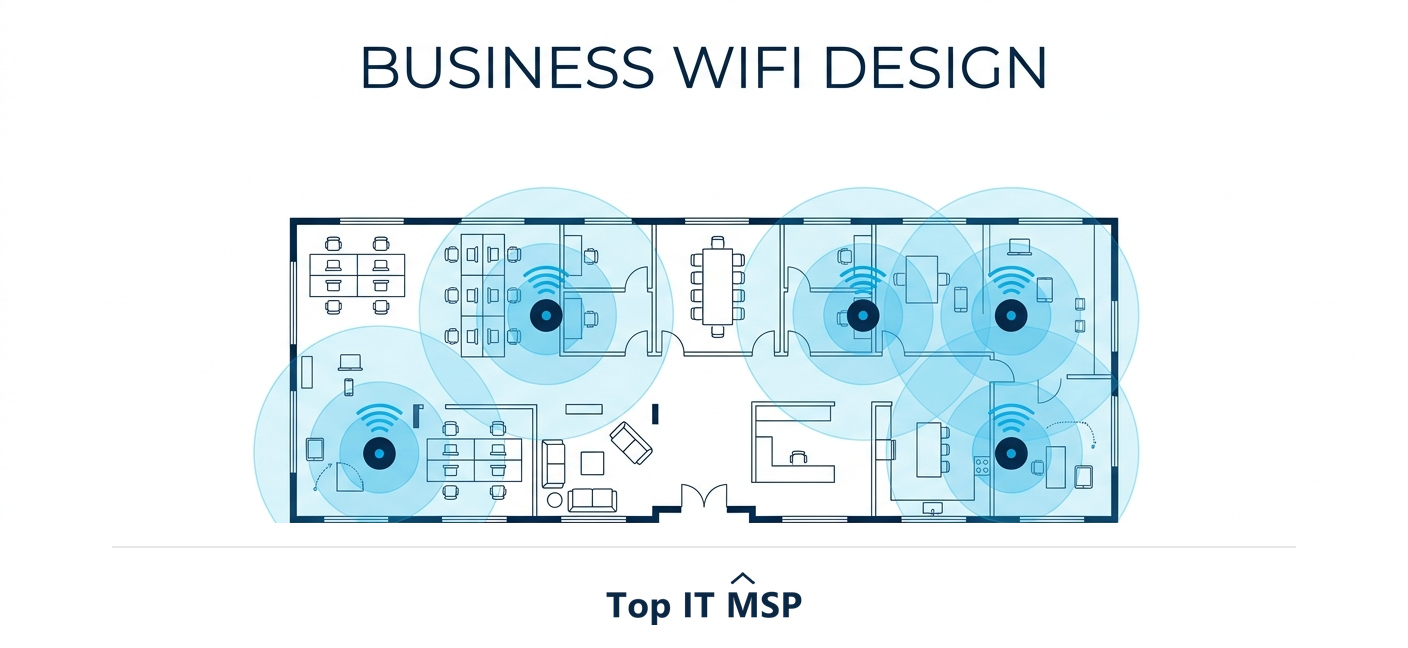
- Business WiFi uses multiple managed access points and often a controller, not a single consumer router.
- Good network design is driven by capacity (how many devices) as much as coverage (how far the signal reaches).
- Access point placement, channel planning, and current Wi-Fi standards determine real-world performance.
- A secure wireless network uses segmentation, a separate guest network, and strong authentication.
- Poorly designed WiFi causes dead zones and slowdowns that quietly drain productivity every day.
Why business WiFi is different
The wireless network for business is not just a bigger version of home WiFi, and treating it like one is the most common and costly mistake. A home router serves a handful of devices in a small space. A business has to deliver fast, reliable, secure connectivity to dozens or hundreds of devices, laptops, phones, printers, cameras, point-of-sale, and a growing crowd of smart devices, across a whole building, every minute of the workday. As more business runs in the cloud, with worldwide public cloud end-user spending forecast to reach $723.4 billion in 2025, nearly everything employees do depends on the WiFi working. When it does not, the cost is real: lost productivity adds up fast, and unplanned downtime costs most organizations more than $100,000 an hour.
This guide explains how a proper wireless network for business is built and designed: the building blocks, coverage and capacity planning, Wi-Fi standards, and security. It pairs with our network support services overview and the structured cabling guide, since good WiFi rests on good wiring.
The building blocks of business WiFi
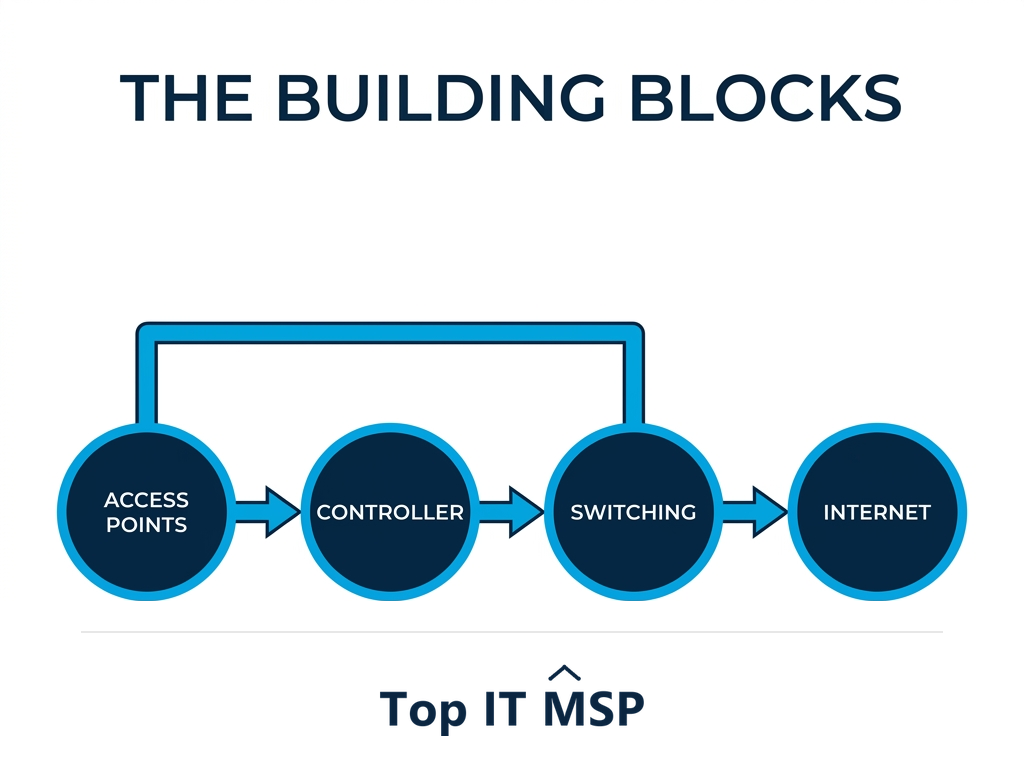
A business wireless network is a system, not a single box. Its core components are:
- Access points (APs). The devices that broadcast the WiFi signal. A business uses several, placed throughout the space, rather than one router, so coverage and capacity scale with the building and the device count.
- A controller. Hardware or cloud software that manages all the access points centrally, so they behave as one coordinated, scalable network and devices roam between them with a seamless handoff.
- Switching and cabling. Wired switches connect and power the access points, usually over structured cabling, which is the backbone the wireless rides on.
- Internet connectivity. A business-grade internet connection, often with failover, so the network stays up.
- Security and firewall. The protections that keep the wireless network from becoming an open door into your systems.
Together these let you design, deploy, configure, and manage WiFi that performs consistently everywhere, which a consumer router simply cannot do.
Network design: coverage and capacity
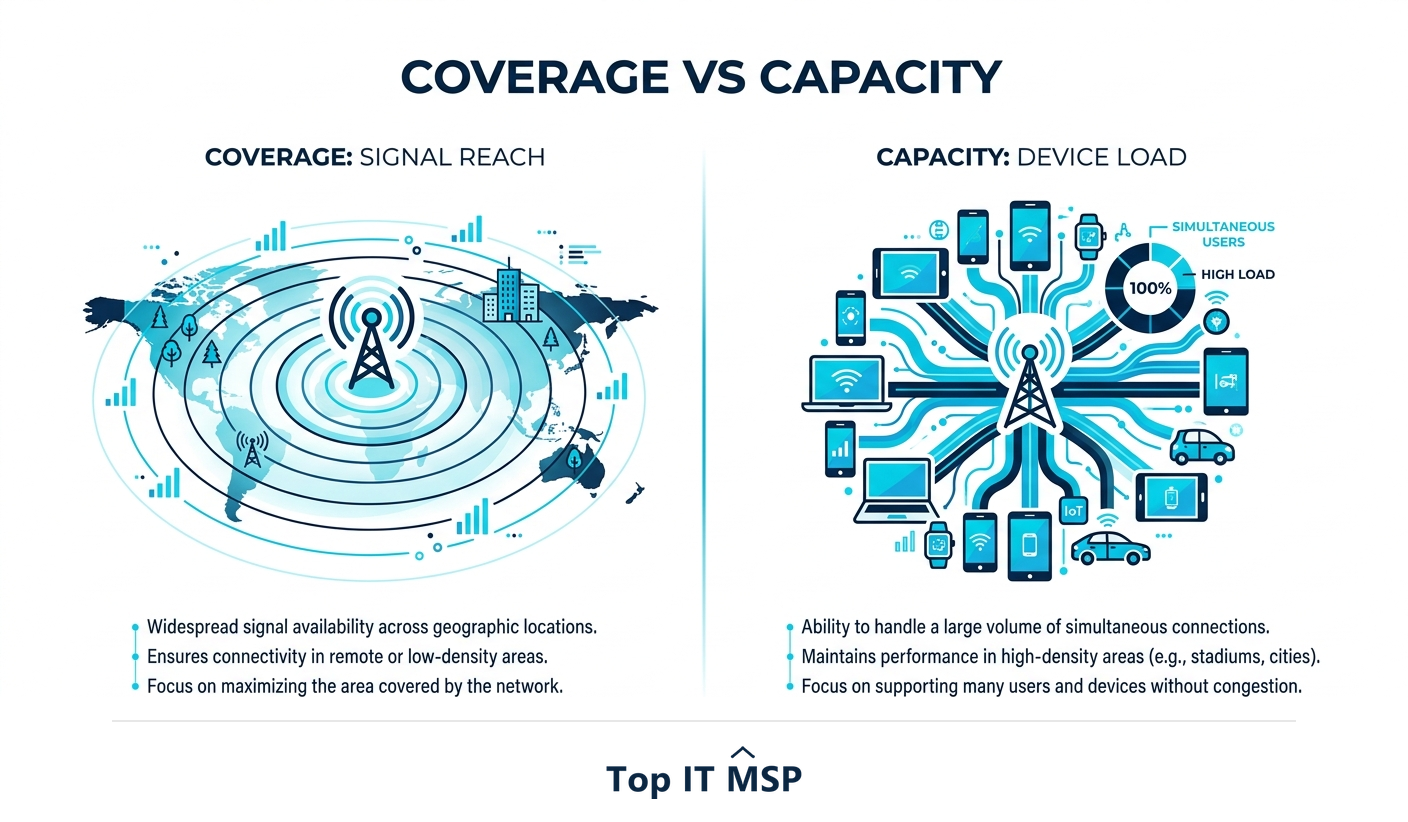
Good business WiFi starts with deliberate design, and the key insight is that coverage and capacity are different problems. Coverage is about signal reaching everywhere it is needed, no dead zones in the back office, warehouse, or conference room. Capacity is about how many devices connect in one area and how much bandwidth they demand; a packed conference room or open-plan floor needs more access points not because of distance but because of density. The old approach of cranking up one router's power actually makes things worse, causing interference. Instead, a proper design uses the right number of access points, placed to give overlapping coverage, on planned channels to avoid interference, sized for the real device load. A wireless site survey, mapping the space and its usage, is how professionals get this right rather than guessing.
Wi-Fi standards and when to upgrade
Wireless technology keeps advancing, and the standard your access points support affects speed, capacity, and how well they handle many devices at once. Wi-Fi 6 and Wi-Fi 6E were major steps forward, designed specifically for dense environments with lots of devices, and Wi-Fi 7 pushes performance further. You do not always need the newest standard, but if your access points are several generations old, they can bottleneck even a fast internet connection and struggle with modern device counts. Upgrading hardware that predates Wi-Fi 6 is often the single highest-impact fix for a slow, crowded network. The right time to upgrade is when device density has outgrown the equipment, or when old access points can no longer be secured or supported.
Securing your wireless network
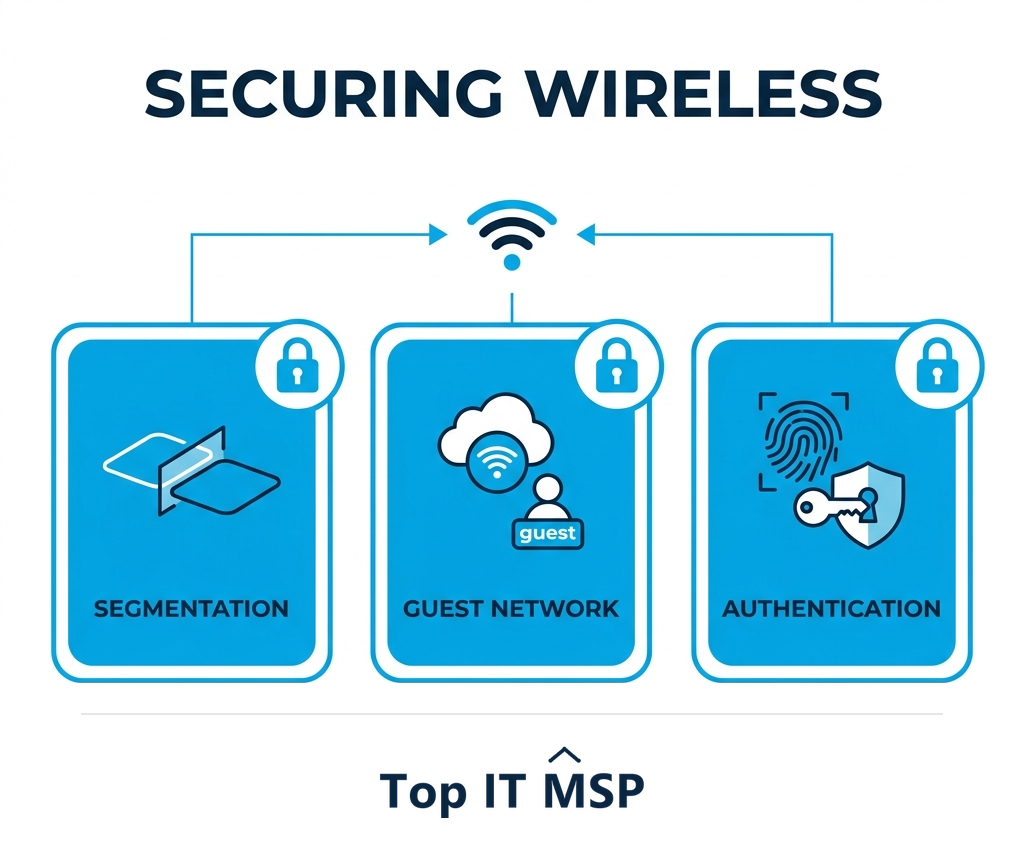
A wireless network is a potential entry point into everything you run, so network security has to be designed in, not bolted on. The essentials: use strong, current encryption and authentication (WPA3 where supported, and ideally certificate or directory-based login rather than a shared password); segment the network so guests, staff, and smart devices are isolated from each other and from sensitive systems; and always run a separate guest network so visitors never touch your internal resources. Keep access point firmware patched, and monitor for rogue access points that attackers or well-meaning staff might plug in. These steps matter because the average data breach costs $4.88 million and takes an average of 258 days to identify and contain, and an unsecured wireless network is an easy way in. Automation helps here too, saving breached organizations an average of $2.22 million, and organizations facing a security skills shortage saw breach costs about $1.76 million higher, a reminder that securing a network well takes expertise.
Common business WiFi problems and fixes
Most WiFi complaints trace to a few causes. Dead zones usually mean too few access points or poor placement, fixed by a proper design and a site survey. Slowdowns in busy areas mean a capacity problem, more or better-placed access points, not a stronger signal. Devices dropping or not roaming smoothly often mean access points are not centrally coordinated by a controller. Random outages can point to an overloaded or consumer-grade setup that cannot handle business demand. Slow performance everywhere may be the internet connection or aging access points bottlenecking the network. The pattern is clear: these are design and equipment problems, and the productivity cost of leaving them unsolved is high in a world where, as McKinsey found, employees already spend about 1.8 hours a day searching for and gathering information without adding network friction on top.
Getting business WiFi right
Reliable, fast, secure WiFi is foundational infrastructure, not a commodity you solve with a better router from the electronics store. It takes the right access points, a controller to coordinate them, a design built around real coverage and capacity, current Wi-Fi standards, and security designed in from the start. Get those right and the network simply works, everywhere, all day, which is exactly what a modern business needs. The expertise to design and manage it well is a major reason businesses lean on providers, part of a managed services market growing from about $330 billion in 2024 toward $879 billion over the next decade.
If you want help designing or fixing a wireless network for business, comparing vetted providers on merit is the place to start. Browse merit-ranked managed IT firms by city in the Top IT MSP directory, where ranking is earned on rating and verified data, not on who pays the most. You can also explore the full managed IT services hub.
Frequently asked questions
How is business WiFi different from home WiFi?
Home WiFi serves a handful of devices in a small space from a single router. Business WiFi must deliver fast, reliable, secure connectivity to dozens or hundreds of devices across a whole building all day, using multiple managed access points, often a central controller, and a design built around coverage and capacity. Treating business WiFi like home WiFi is the most common and costly networking mistake.
How many access points does a business need?
It depends on both coverage and capacity, not just floor size. Coverage determines how many access points are needed to reach everywhere without dead zones, while capacity determines how many are needed for the density of devices in busy areas like open-plan floors or conference rooms. A wireless site survey that maps the space and its usage is the reliable way to size and place access points.
What is the difference between coverage and capacity in WiFi design?
Coverage is about signal reaching everywhere it is needed, with no dead zones. Capacity is about how many devices connect in one area and how much bandwidth they demand. A dense area like a packed conference room needs more access points for capacity even if coverage is fine. Cranking up a single router's power does not solve capacity and often causes interference.
Do I need the latest Wi-Fi standard for my business?
Not always, but if your access points predate Wi-Fi 6 they can bottleneck a fast internet connection and struggle with modern device counts. Wi-Fi 6 and 6E were designed for dense, device-heavy environments, and Wi-Fi 7 pushes further. Upgrading hardware older than Wi-Fi 6 is often the single highest-impact fix for a slow, crowded network.
How do you secure a business wireless network?
Use strong current encryption and authentication such as WPA3, ideally with certificate or directory-based login rather than a shared password; segment the network so guests, staff, and smart devices are isolated from sensitive systems; always run a separate guest network; keep access point firmware patched; and monitor for rogue access points. An unsecured wireless network is an easy entry point for attackers.
Why is my business WiFi slow or unreliable?
Common causes include too few or poorly placed access points (dead zones), insufficient capacity in busy areas (slowdowns), access points not coordinated by a controller (dropped connections and poor roaming), consumer-grade equipment that cannot handle business load, and aging access points or an overloaded internet connection bottlenecking everything. These are design and equipment problems that proper planning solves.
Related reading
Build WiFi your business can rely on
Top IT MSP is the independent directory of vetted managed IT providers across North America. Compare merit-ranked firms in your city that design and manage business wireless networks. No pay-to-play.
Top IT MSP is an independent directory that connects you with vetted managed IT providers. Browse the directory city by city:
- Managed IT Services in Chicago
- Managed IT Services in Houston
- Managed IT Services in Dallas
- Managed IT Services in Phoenix
- Managed IT Services in Virginia Beach
- Managed IT Services in Washington, D.C.
- Managed IT Services in Wichita
- Managed IT Services in Albuquerque
- Managed IT Services in Anaheim
- Managed IT Services in Arlington