A Step-by-Step Cloud Migration Guide
A successful cloud migration follows clear steps: assess your environment, define goals and a business case, choose a migration strategy and provider, plan the move, migrate in waves rather than all at once, validate and test, then optimize for cost and performance. Planning and phasing are what separate smooth migrations from expensive, disruptive ones.
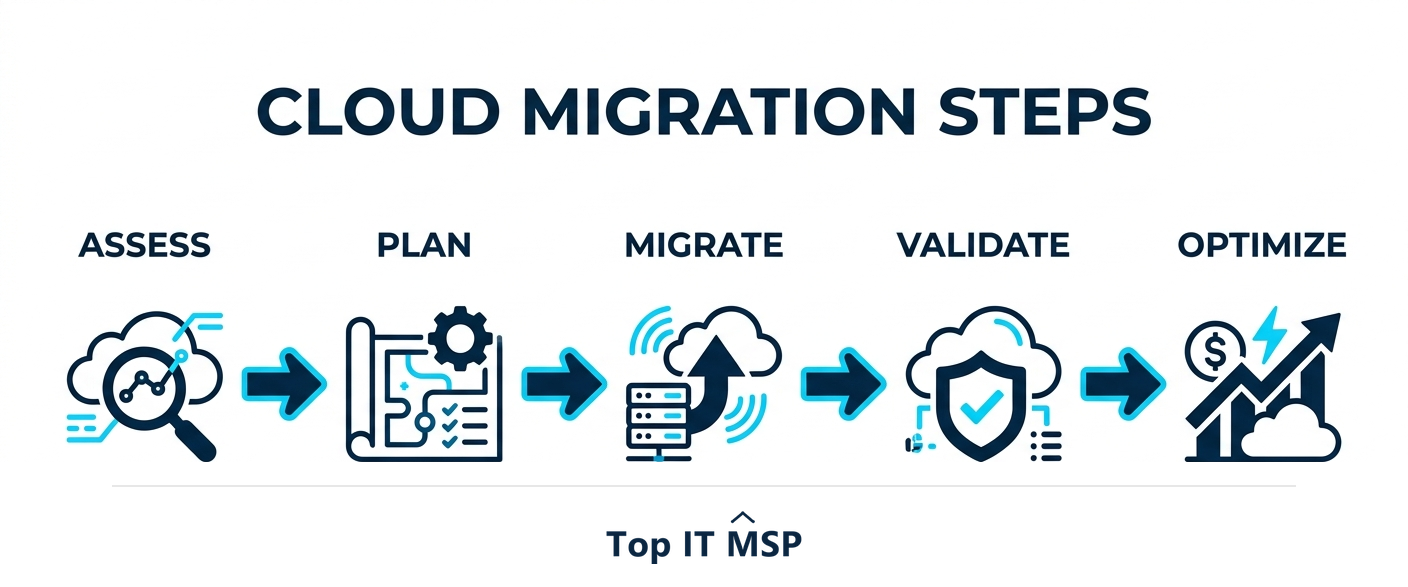
- Cloud migration is a phased process, not a single switch: assess, plan, migrate in waves, then optimize.
- Start with an assessment and a clear business case, so you migrate for a reason, not just to be in the cloud.
- Pick the right strategy per application; not everything should simply be lifted and shifted.
- Migrate in waves and test each one, so problems stay small and the business keeps running.
- Optimization after the move is where most of the cost savings and performance gains actually appear.
Cloud migration is a process, not a switch
Cloud migration is the process of moving your applications, data, and workloads from on-premises servers (or another cloud) into a cloud environment. The single biggest mistake businesses make is treating it as a one-time switch to flip rather than a planned, phased process. Done well, migration follows clear steps that reduce risk at every stage; done carelessly, it leads to downtime, surprise costs, and security gaps. This guide lays out the steps in order so your move is smooth and your business keeps running throughout.
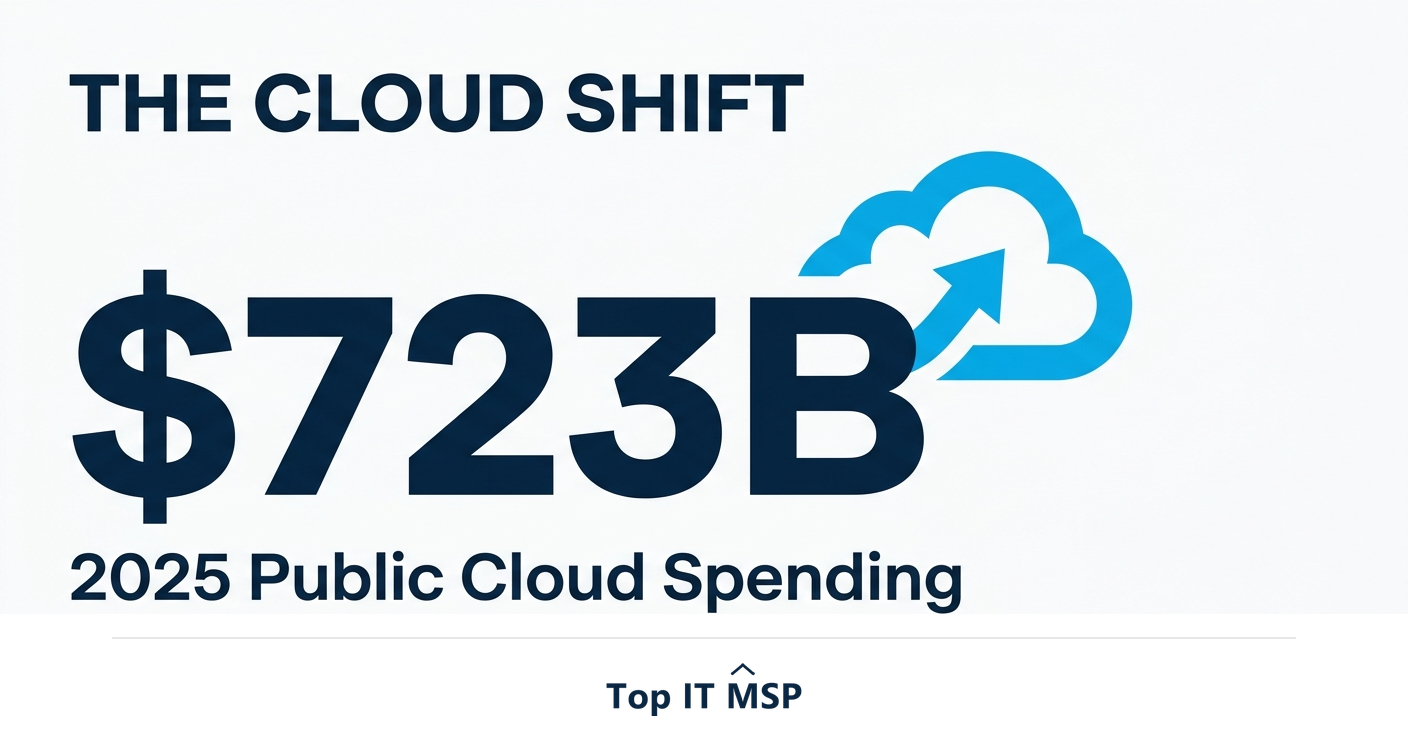
The shift to the cloud is now mainstream, with worldwide public cloud spending forecast to top $723 billion in 2025, up from about $595.7 billion in 2024. But moving for its own sake wastes money. The goal is a migration that delivers real gains in cost, flexibility, or security, which is exactly what a disciplined process protects. This guide pairs with our cloud migration services overview.
Step 1: Assess your current environment
Before moving anything, take a full inventory of what you have: applications, data, servers, dependencies, and how systems connect to one another. This assessment reveals what can move easily, what needs reworking, and what should not move at all. Skipping it is how migrations stall halfway through, when a forgotten dependency breaks. A clear picture of the current state is the foundation every later step builds on.
Step 2: Define goals and build the business case
Decide why you are migrating before you decide how. Common goals include cutting hardware and maintenance costs, enabling remote work, improving scalability, or strengthening security and disaster recovery. Tie each goal to a measurable outcome and a budget, so the project can be justified and its success judged later. A migration without a clear business case tends to drift, overspend, and disappoint, while one anchored to specific goals stays focused.
Step 3: Choose your migration strategy
Not every application should move the same way. The well-known migration strategies, often called the six Rs, let you choose the right approach for each workload:
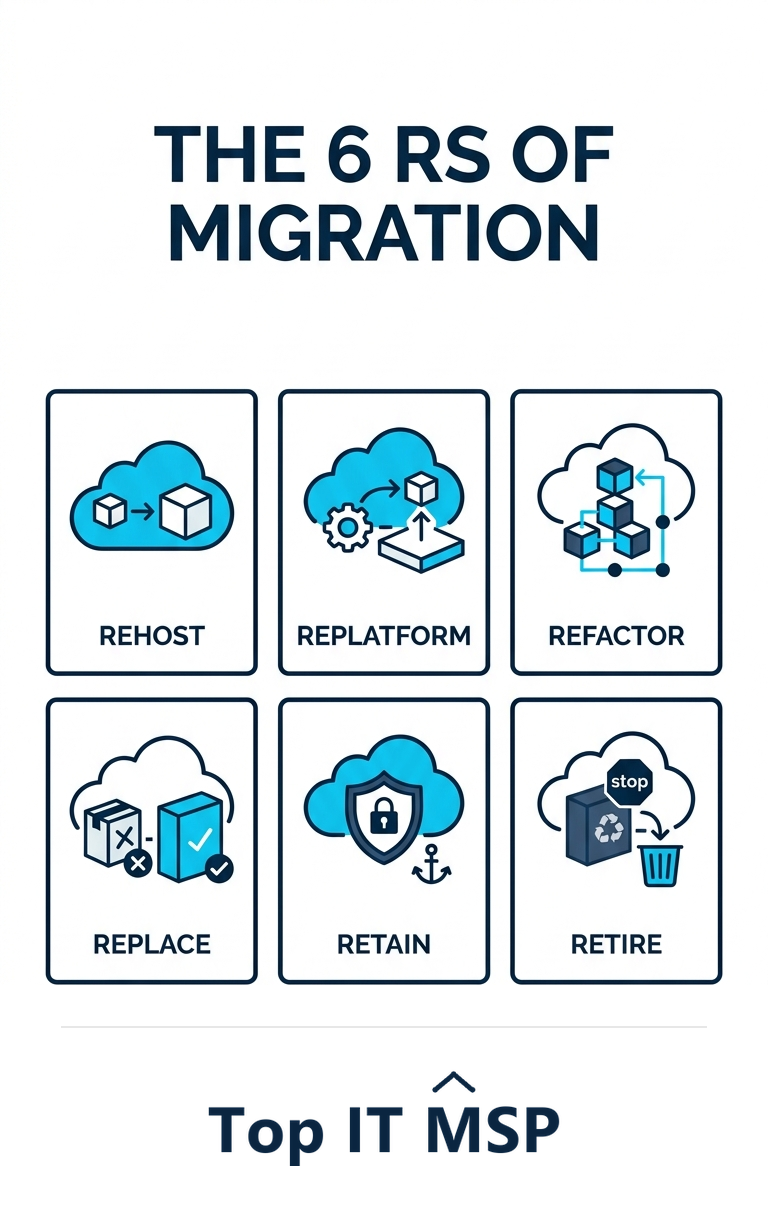
- Rehost (lift and shift). Move an application to the cloud as-is. The fastest route, with limited cloud benefit.
- Replatform. Make small optimizations during the move, such as switching to a managed database.
- Refactor. Re-architect the application to fully exploit the cloud. The most effort, and the most reward.
- Replace. Retire the app and adopt a cloud-native SaaS alternative instead.
- Retain. Keep some systems on-premises for now, often for compliance or technical reasons.
- Retire. Decommission applications you no longer need, a common and valuable side benefit of the assessment.
Step 4: Choose a cloud provider and plan the move
Select a cloud platform (such as Microsoft Azure or AWS) and a deployment model, public, private, or hybrid, that fits your goals, workloads, and compliance needs. Then build a detailed migration plan: the sequence, the timeline, who is responsible, how you will handle data transfer, and a rollback plan if something goes wrong. Crucially, plan security from the start, because the cloud runs on a shared responsibility model where you remain responsible for securing your data and configurations, and the average data breach costs $4.88 million and takes about 258 days to identify and contain.
Step 5: Migrate in waves, not all at once
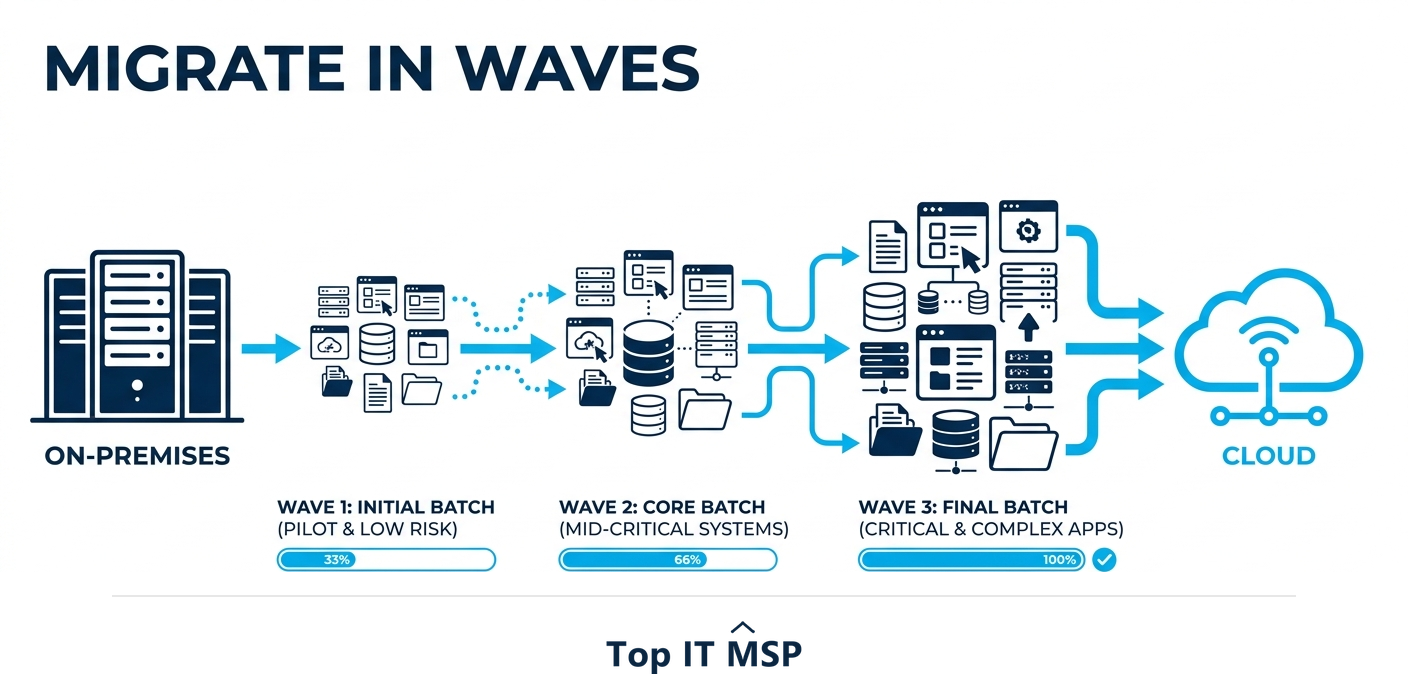
This is the step that most protects the business. Rather than moving everything in one risky cutover, migrate in waves, starting with low-risk, non-critical workloads to prove the process, then progressively moving more important systems. Each wave is a chance to learn and adjust, and any problem stays contained to a small group rather than taking down the whole company. Phasing also keeps the business running, which matters when an hour of downtime costs most organizations more than $100,000.
Step 6: Validate, test, and cut over
After each wave, validate before you rely on it. Test that applications work, that performance is acceptable, that integrations still function, and that data moved completely and correctly. Confirm security controls and access are in place. Only once a wave is verified do you fully cut over and decommission the old environment. Rushing this step is how subtle data or performance problems reach users; a deliberate test-and-verify cycle catches them while they are still cheap to fix.
Step 7: Optimize after the move
Migration is not finished at cutover. The cloud bills for what you use, so the period right after migration is where you tune for cost and performance: right-size over-provisioned resources, shut off what you no longer need, and adjust to real usage patterns. This is also where you harden security, refine backups, and finally capture the scalable, elastic capacity the cloud was supposed to deliver. Businesses that skip optimization often overpay and conclude the cloud is expensive, when the real problem is that they never tuned it. Treat optimization as an ongoing discipline, reviewing cost and performance every month, not a one-time task, and the cloud delivers the savings and flexibility that justified the move in the first place. Ongoing optimization is what turns a completed migration into lasting value.
Should you migrate yourself or get expert help?
A small, simple migration may be manageable in-house, but most are more complex than they first appear, and mistakes are costly. Specialist cloud skills are scarce amid a global shortfall of about 4.8 million cybersecurity and IT professionals, and the market reflects how much businesses lean on partners, with the managed services market projected to grow from about $330 billion in 2024 to about $879 billion over the next decade. A provider brings a proven methodology, handles the risky steps, and helps you optimize afterward.
If you are planning a cloud migration, the right partner can de-risk the whole project. To start from a vetted, merit-ranked list, browse providers by city in the Top IT MSP directory, where ranking is earned on rating and verified data.
Frequently asked questions
What are the steps of a cloud migration?
The core steps are: assess your current environment, define goals and build a business case, choose a migration strategy for each workload, select a cloud provider and plan the move, migrate in waves rather than all at once, validate and test each wave before cutting over, and optimize for cost and performance after the move. Planning and phasing reduce risk at every stage.
What are the cloud migration strategies (the 6 Rs)?
The six common strategies are rehost (lift and shift as-is), replatform (small optimizations during the move), refactor (re-architect for the cloud), replace (adopt a SaaS alternative), retain (keep some systems on-premises), and retire (decommission what you no longer need). The right choice differs per application rather than applying one approach to everything.
Why should you migrate to the cloud in waves?
Migrating in waves, starting with low-risk workloads, keeps any problem contained to a small group instead of taking down the whole business, lets you learn and adjust between waves, and keeps operations running throughout. Because an hour of downtime costs most organizations more than $100,000, a phased approach is far safer than a single big cutover.
How long does a cloud migration take?
It depends on the size and complexity of your environment and the strategy chosen, ranging from weeks for a small, simple migration to many months for a large or heavily customized one. A proper assessment up front gives a realistic timeline, and migrating in waves spreads the work while keeping the business running.
What is the biggest mistake in cloud migration?
Treating it as a one-time switch rather than a planned, phased process, and skipping the assessment and optimization steps. Without assessment, forgotten dependencies break mid-migration; without optimization afterward, businesses overpay and wrongly conclude the cloud is expensive. Planning, phasing, and tuning are what make a migration succeed.
Should I use a provider for cloud migration?
Most migrations are more complex than they appear, and mistakes are costly, so unless the move is small and simple, a specialist usually pays for itself. A provider brings a proven methodology, handles the risky steps such as data transfer and cutover, plans security from the start, and helps optimize afterward, de-risking the whole project.
Related reading
De-risk your cloud migration with a proven partner
Top IT MSP is the independent directory of vetted managed IT providers across North America. Compare merit-ranked firms in your city that plan and execute cloud migrations. No pay-to-play.
Top IT MSP is an independent directory that connects you with vetted managed IT providers. Browse the directory city by city:
- Managed IT Services in Philadelphia
- Managed IT Services in New York
- Managed IT Services in Los Angeles
- Managed IT Services in Chicago
- Managed IT Services in Anaheim
- Managed IT Services in Arlington
- Managed IT Services in Austin
- Managed IT Services in Bakersfield
- Managed IT Services in Baltimore
- Managed IT Services in Baton Rouge