Network Vulnerability Assessment Checklist
A network vulnerability assessment systematically finds the weaknesses across your network so you can fix them before attackers exploit them. The checklist: inventory all assets, scan with vulnerability tools, review firewalls and open ports, check patch levels and configurations, audit access controls and segmentation, prioritize findings by risk, remediate, document, and repeat on a schedule.
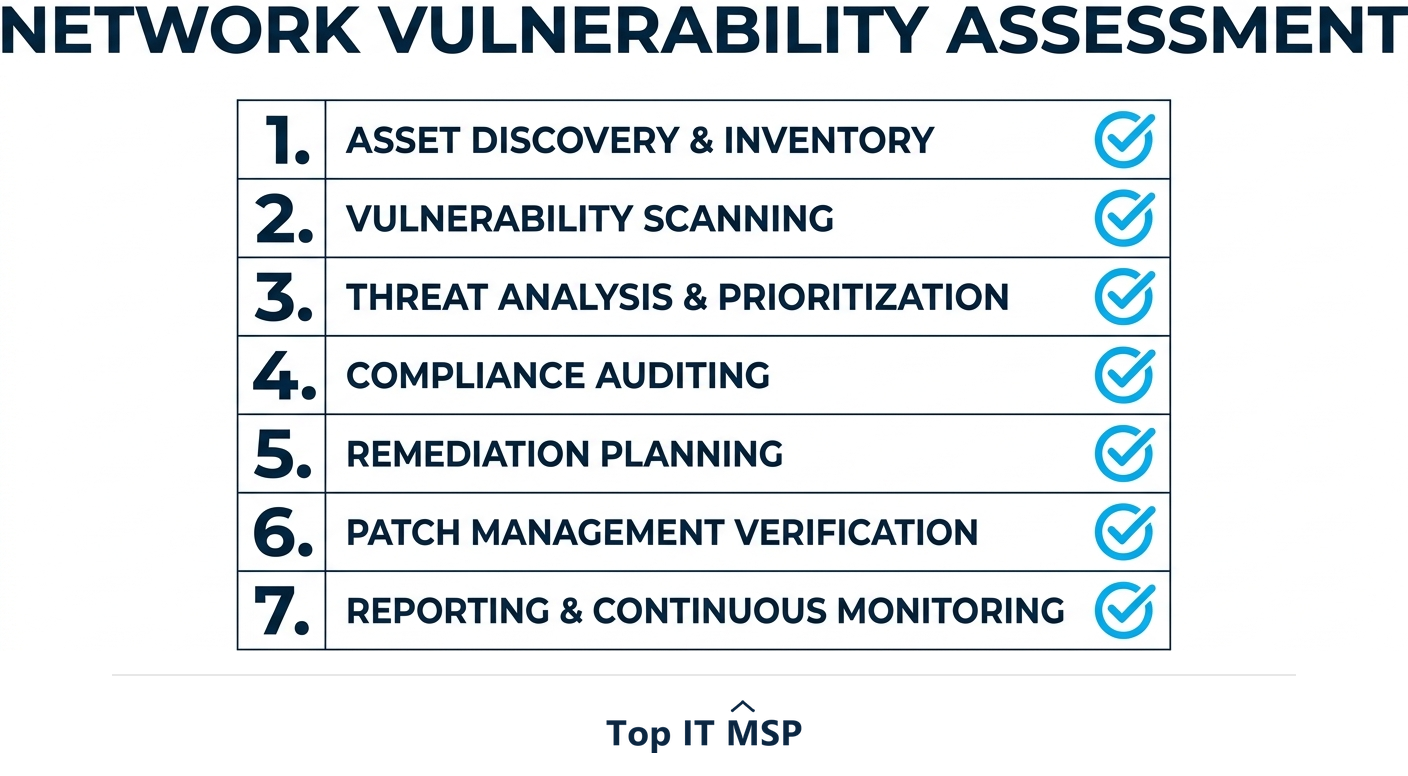
- A network vulnerability assessment finds and prioritizes the weaknesses across your network.
- Start with a complete asset inventory: you cannot assess what you do not know you have.
- Scan for vulnerabilities, then review firewalls, open ports, patches, configurations, and access.
- Prioritize findings by risk and remediate the highest first, then document everything.
- Run it on a regular schedule, because new vulnerabilities appear constantly.
What is a network vulnerability assessment?
A network vulnerability assessment is a systematic process of finding the security weaknesses across your network, before attackers do. It examines everything connected to your network, servers, workstations, firewalls, routers, switches, wireless access points, and more, looking for known vulnerabilities, misconfigurations, missing patches, and weak settings. The output is a prioritized list of the gaps you need to close. Because attackers actively scan for exactly these weaknesses, a regular assessment is one of the most practical security measures a business can take: it turns unknown, invisible risk into a concrete, ranked to-do list.
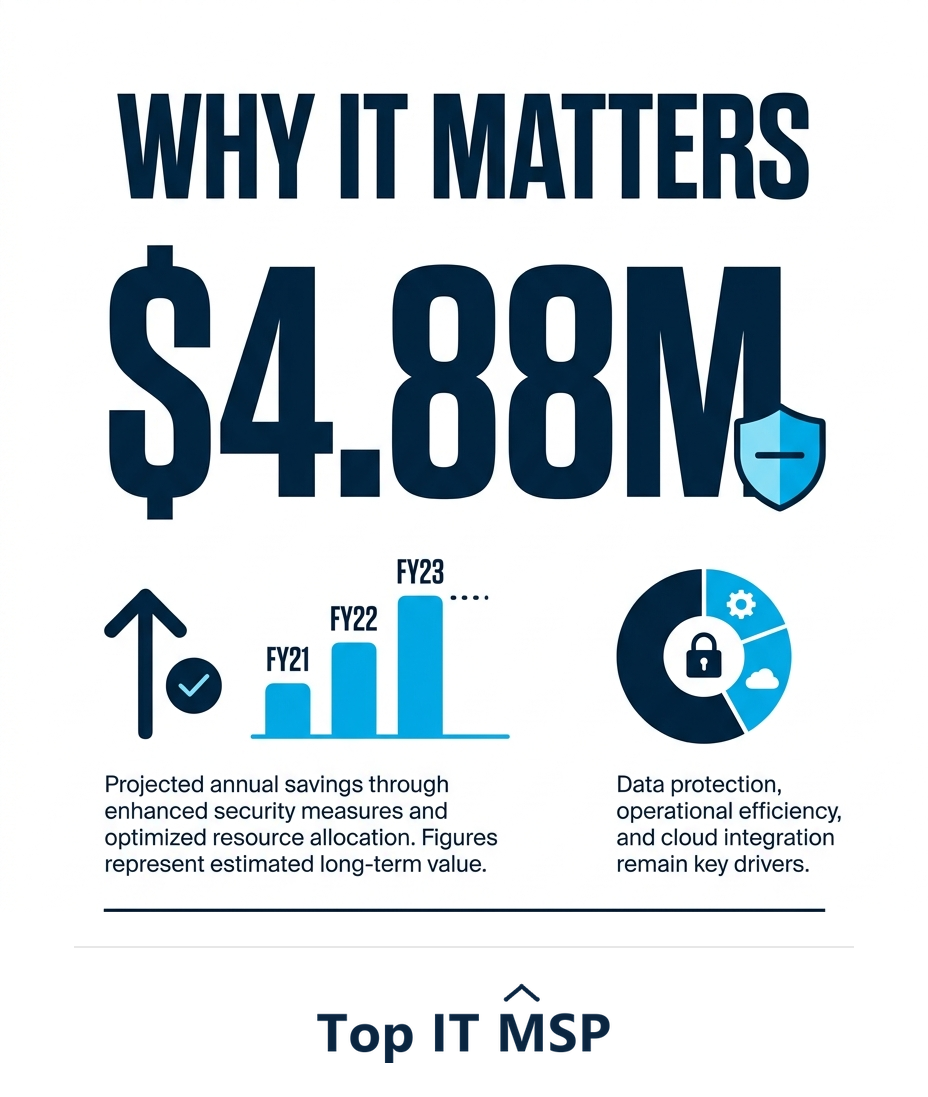
The cost of the weaknesses an assessment surfaces is high, with the average data breach reaching $4.88 million, taking about 258 days to identify and contain, and reported cybercrime losses topping $12.5 billion in a single year. Most breaches exploit exactly the kind of known, fixable gaps an assessment finds, and many begin with people, with the human element involved in 68 percent of breaches, so the technical gaps an assessment closes are only part of the picture. This guide is a practical checklist for running one. It pairs with our network support and cybersecurity services overviews, and complements our guide on vulnerability assessment vs penetration testing.
Step 1: Inventory all network assets
You cannot assess what you do not know you have, so start with a complete inventory of everything connected to your network: servers, workstations, laptops, mobile devices, firewalls, routers, switches, wireless access points, printers, and increasingly smart (IoT) devices. For each, note what it is, what software and firmware it runs, and how critical it is. This inventory defines the scope of the assessment, and the act of building it almost always uncovers forgotten or unmanaged devices, exactly the kind of overlooked systems attackers love, that no one was securing.
Step 2: Scan for vulnerabilities
With assets mapped, run a vulnerability scan across the network using specialized tools. A vulnerability scan checks your systems against large, continuously updated databases of known vulnerabilities and misconfigurations, then reports what it finds, rated by severity. Scan both from outside (to see what an internet-based attacker sees) and from inside (to find what someone who got in, or an insider, could reach). Authenticated scans, which log into systems, give a more accurate picture than unauthenticated ones. The scan produces the raw findings the rest of the assessment builds on.
Step 3: Review the key network controls
Beyond automated scanning, review the network's core security controls by hand, because configuration weaknesses are a leading cause of incidents:
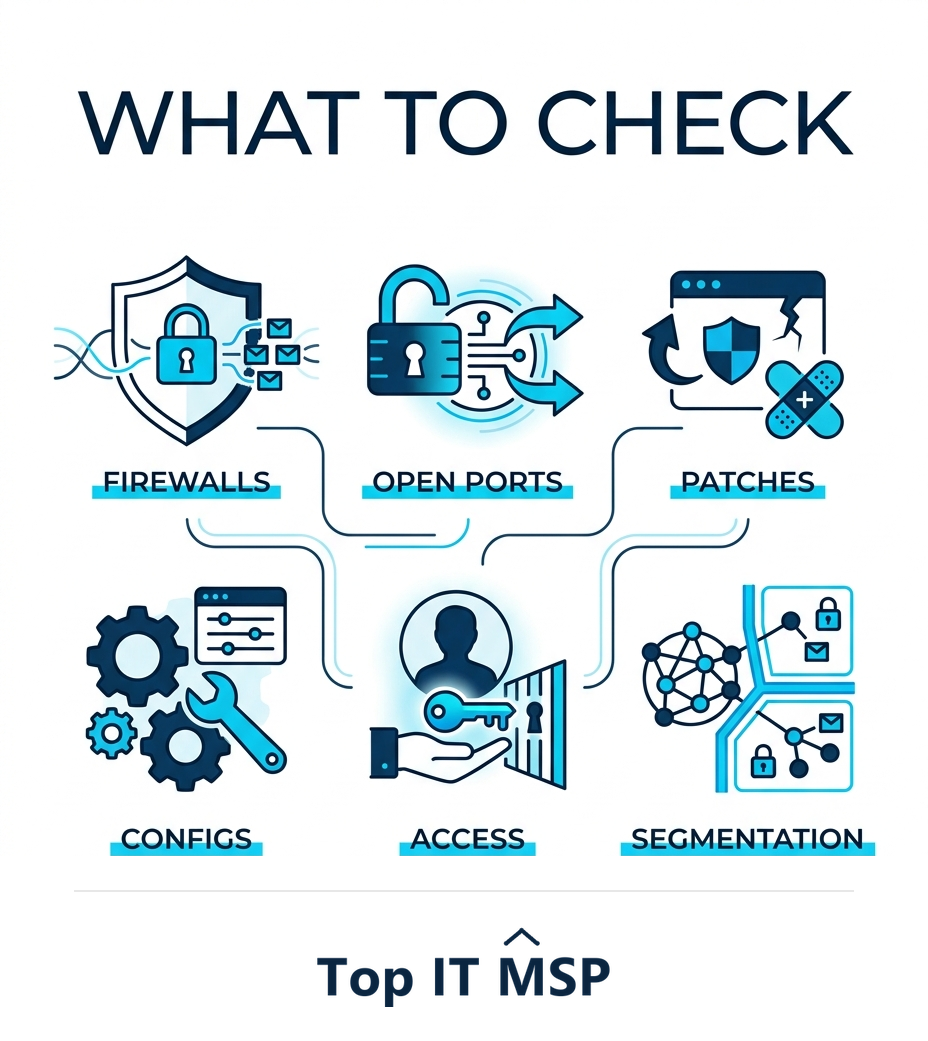
- Firewalls. Are rules current, tight, and free of overly permissive any-any entries? Is the firewall itself patched?
- Open ports and services. Are only necessary ports open? Unused open ports and services expand the attack surface for no benefit.
- Patch levels. Are operating systems, applications, and network device firmware up to date? Missing patches are a top exploited weakness.
- Configurations. Are devices hardened to secure baselines, with default credentials changed and unnecessary features disabled?
- Access controls. Is access least-privilege, with strong authentication and MFA, and no stale or shared accounts?
- Segmentation and wireless. Is the network segmented so a breach cannot spread freely, and is wireless secured with strong encryption?
Step 4: Prioritize the findings by risk
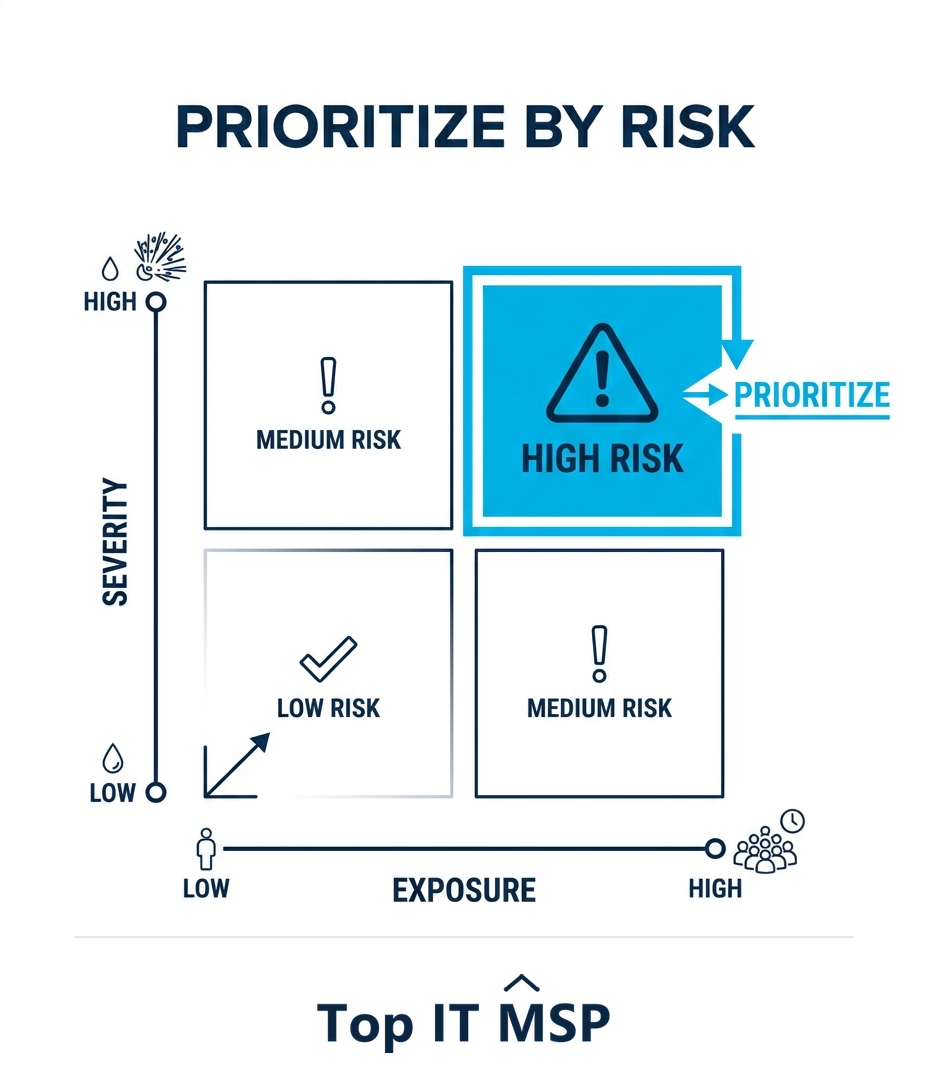
A scan can return hundreds of findings, which is overwhelming and useless without prioritization. Rank each one by risk, combining how severe the vulnerability is with how exposed it is (an internet-facing critical flaw is far more urgent than a low-severity issue on an isolated internal system) and how valuable the affected asset is. This produces a focused list: fix the highest-risk items first, where each fix removes the most danger. Prioritization is what turns an intimidating scan report into an actionable plan, and it is where expertise matters most, because tools rate severity but cannot fully judge your business context.
Step 5: Remediate and verify
Act on the prioritized list: apply patches, tighten firewall rules, close unnecessary ports, fix misconfigurations, harden devices, and correct access issues, starting with the highest-risk findings. For anything you cannot fix immediately, apply a compensating control or accept the risk deliberately and document the decision. Then verify, re-scan or re-check to confirm the fix worked and did not introduce a new problem. Remediation is the entire point of the assessment; a beautifully prioritized list that nobody acts on protects nothing. The cost of inaction is real, since unpatched, exposed systems are exactly what cause the outages that make downtime cost over $100,000 an hour.
Step 6: Document and repeat
Document the whole assessment, the assets, the findings, the risk ratings, the remediation, and any accepted risks. This creates accountability, gives you a baseline to measure progress against, and provides the evidence auditors, insurers, and customers increasingly require. Then, crucially, repeat it on a regular schedule. A vulnerability assessment is a snapshot, and your network changes constantly as you add devices and software, and as new vulnerabilities are discovered daily. Run assessments regularly, monthly or quarterly scanning is common, and after any major change, with continuous monitoring filling the gaps in between. Security is a cycle, not a one-time project.
Getting network vulnerability assessment right
Running a thorough assessment well takes the right tools and the expertise to configure scans, interpret results, judge real-world risk, and remediate effectively, expertise that is scarce amid a global shortfall of about 4.8 million cybersecurity professionals. Done poorly, an assessment produces noise that gets ignored; done well, it directly reduces your risk. Many businesses run vulnerability assessment as part of a managed IT or security service, which provides continuous scanning, expert prioritization, and remediation, rather than a once-a-year scramble. It is part of why the managed services market is projected to grow from about $330 billion in 2024 to about $879 billion over the next decade.
If you want to find and close your network's weaknesses before attackers do, a provider can run regular assessments and help you remediate. To find one, browse vetted, merit-ranked firms by city in the Top IT MSP directory, where ranking is earned on rating and verified data.
Frequently asked questions
What is a network vulnerability assessment?
A network vulnerability assessment is a systematic process of finding the security weaknesses across your network, servers, workstations, firewalls, routers, wireless, and more, before attackers do. It identifies known vulnerabilities, misconfigurations, missing patches, and weak settings, and produces a prioritized list of gaps to close, turning invisible risk into a concrete to-do list.
What are the steps in a network vulnerability assessment?
Inventory all network assets, scan for vulnerabilities with specialized tools from both outside and inside, review key controls like firewalls, open ports, patches, configurations, access, and segmentation, prioritize the findings by risk, remediate starting with the highest-risk items and verify the fixes, then document everything and repeat on a regular schedule.
What does a network vulnerability assessment check?
It checks firewalls and their rules, open ports and unnecessary services, patch levels of operating systems, applications, and device firmware, configurations and hardening including default credentials, access controls and authentication, and network segmentation and wireless security. Automated scanning finds known vulnerabilities, while a manual review catches configuration weaknesses.
How often should you run a network vulnerability assessment?
Run assessments on a regular schedule, monthly or quarterly scanning is common, and after any major change such as new systems or significant configuration updates, with continuous monitoring filling the gaps in between. Your network changes constantly and new vulnerabilities are discovered daily, so a single assessment quickly goes out of date.
How do you prioritize vulnerabilities found in a scan?
Rank each finding by risk, combining the vulnerability's severity with how exposed it is (an internet-facing critical flaw is far more urgent than a low-severity issue on an isolated internal system) and the value of the affected asset. This produces a focused list so you fix the highest-risk items first. Prioritization turns an overwhelming scan report into an actionable plan.
Should I outsource network vulnerability assessments?
Many businesses do, because running them well takes the right tools and expertise to configure scans, interpret results, judge real-world risk, and remediate, which is scarce and easy to get wrong. A managed IT or security provider can deliver continuous scanning, expert prioritization, and remediation as an ongoing service rather than a once-a-year scramble.
Related reading
Find your network's weaknesses before attackers do
Top IT MSP is the independent directory of vetted managed IT and security providers across North America. Compare merit-ranked firms in your city that run vulnerability assessments and remediation. No pay-to-play.
Top IT MSP is an independent directory that connects you with vetted managed IT providers. Browse the directory city by city:
- Managed IT Services in New York
- Managed IT Services in Los Angeles
- Managed IT Services in Chicago
- Managed IT Services in Houston
- Managed IT Services in Seattle
- Managed IT Services in Spokane
- Managed IT Services in St George
- Managed IT Services in St. Louis
- Managed IT Services in Syracuse
- Managed IT Services in Tampa