What Is a Virtual Desktop? DaaS and VDI Explained
A virtual desktop is a desktop environment that runs on a server in a data center or the cloud, not on the device in front of you. You access it from almost any device, while the operating system, apps, and data stay centralized and secure. VDI hosts virtual desktops on infrastructure you run; DaaS delivers the same thing as a managed cloud subscription.
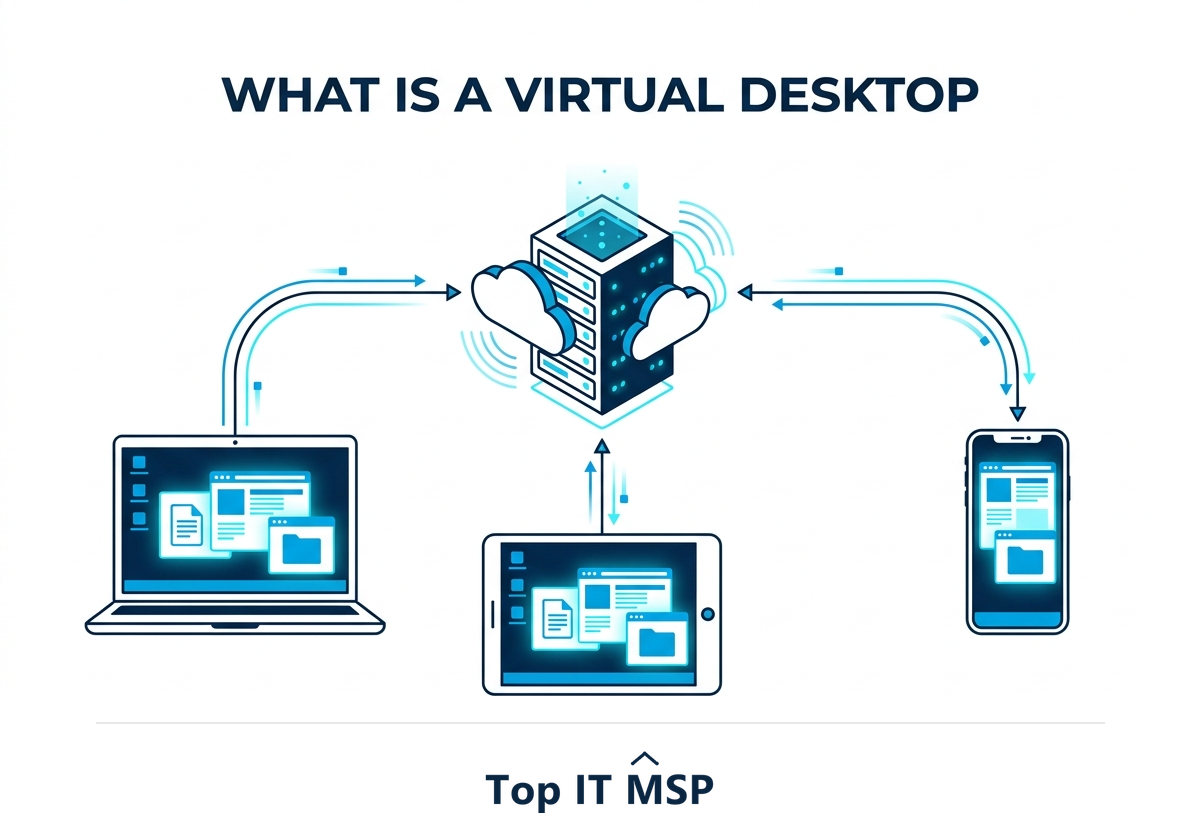
- A virtual desktop runs on a central server and streams to your device, so your apps and files follow you anywhere.
- VDI (Virtual Desktop Infrastructure) is hosted on infrastructure you own and manage; DaaS (Desktop as a Service) is the cloud, subscription version.
- The big benefits are security, central management, remote and hybrid work, and longer device life.
- The trade-offs are dependence on a network connection and, for VDI, significant upfront cost and complexity.
- DaaS shifts that cost to a predictable monthly fee, which is why most small and midsize businesses choose it.
What is a virtual desktop?
A virtual desktop is a full desktop environment, the operating system, applications, settings, and files, that runs on a server in a data center or the cloud instead of on the physical computer in front of you. You connect to it over the network from almost any device: an office PC, a home laptop, a tablet, even a thin client with little power of its own. What you see and use looks and feels like a normal Windows desktop, but the actual computing happens on the central server, and only the screen image is streamed to your device while your keystrokes and clicks travel back.
That single architectural change has big consequences. Because everything lives centrally, your work follows you from device to device, your data never really sits on the endpoint, and IT can manage every desktop from one place. As more computing moves off local machines and into the cloud, in a market where public cloud spending is forecast to top $723 billion in 2025, up from about $595.7 billion in 2024, virtual desktops have become a mainstream way to deliver work to a distributed, hybrid workforce. This guide explains how they work, the two main types, the benefits and drawbacks, and who should use one. It pairs with our virtual desktop and DaaS services overview.
How virtual desktops work
Behind the scenes, a host server runs virtualization software that creates many isolated desktop environments at once, each allocated a slice of the server's processing, memory, and storage. A connection broker authenticates each user and routes them to their desktop, and a remote display protocol streams the screen to the user's device in real time. Because the desktops are just software instances, IT can create, clone, patch, secure, and retire them centrally, without ever touching the physical device a person is using. When you log off, your session and data are safely stored on the server, ready to resume from anywhere.
VDI vs DaaS: the two types of virtual desktop
Virtual desktops come in two flavors that differ in who owns and runs the underlying infrastructure, not in what the user experiences.
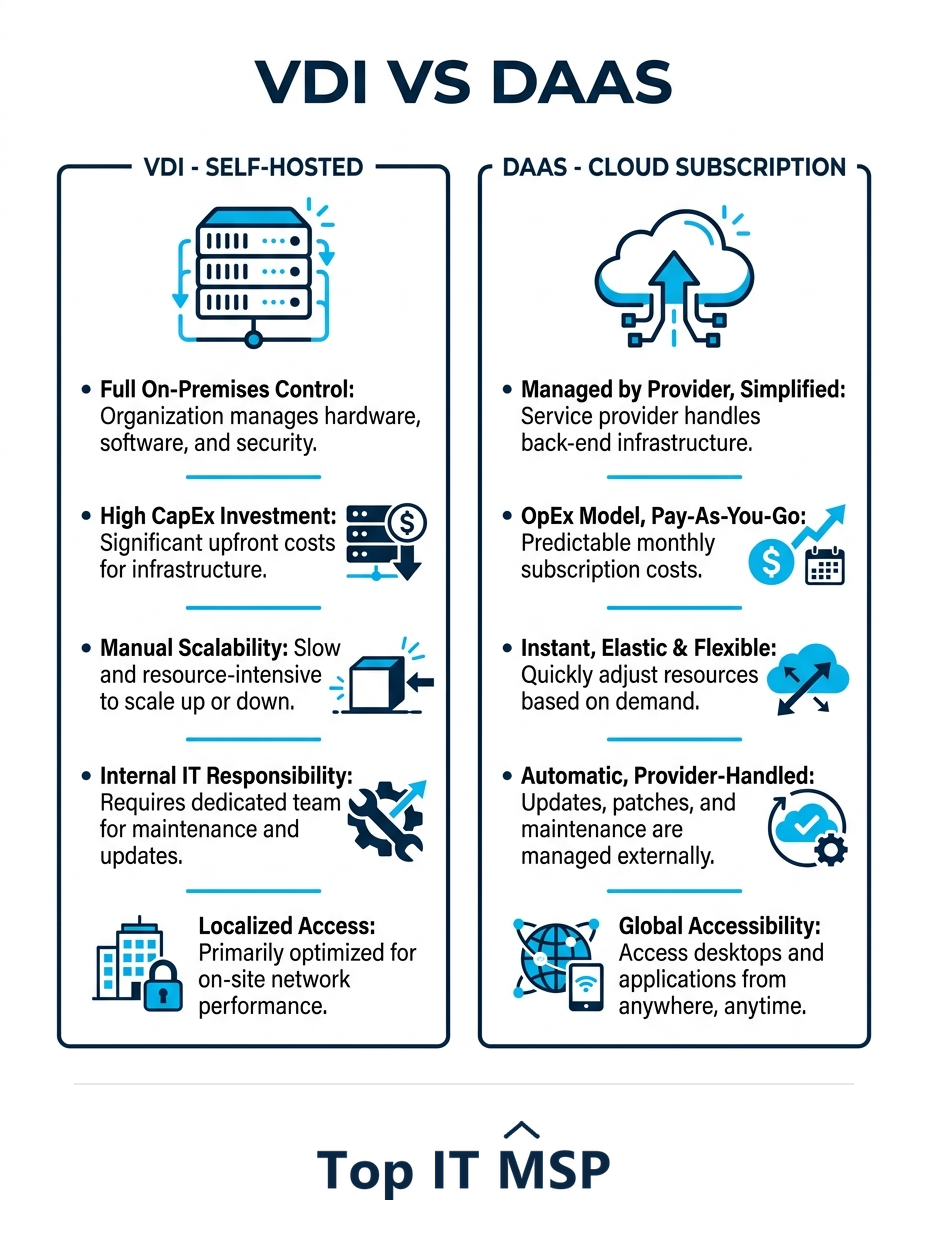
- VDI (Virtual Desktop Infrastructure) is hosted on servers your business owns and manages, usually in your own data center. You buy the hardware and software, configure it, and run it. VDI gives you maximum control and can be cost-effective at large scale, but it carries a significant upfront investment and ongoing management burden.
- DaaS (Desktop as a Service) delivers the very same virtual desktops as a managed cloud subscription. A cloud provider owns and runs the infrastructure, and you pay a predictable per-user monthly fee. DaaS removes the upfront cost and most of the management, trading capital expense for a smooth operating expense.
Put simply, VDI and DaaS deliver the same result; the difference is whether you build and run the back end yourself (VDI) or rent it as a managed service (DaaS). For most small and midsize businesses, the predictability and lighter management of DaaS win out, which is why DaaS adoption has grown so quickly.
The benefits of virtual desktops
Virtual desktops solve several problems at once, which is why they have moved from a niche technology into the mainstream:
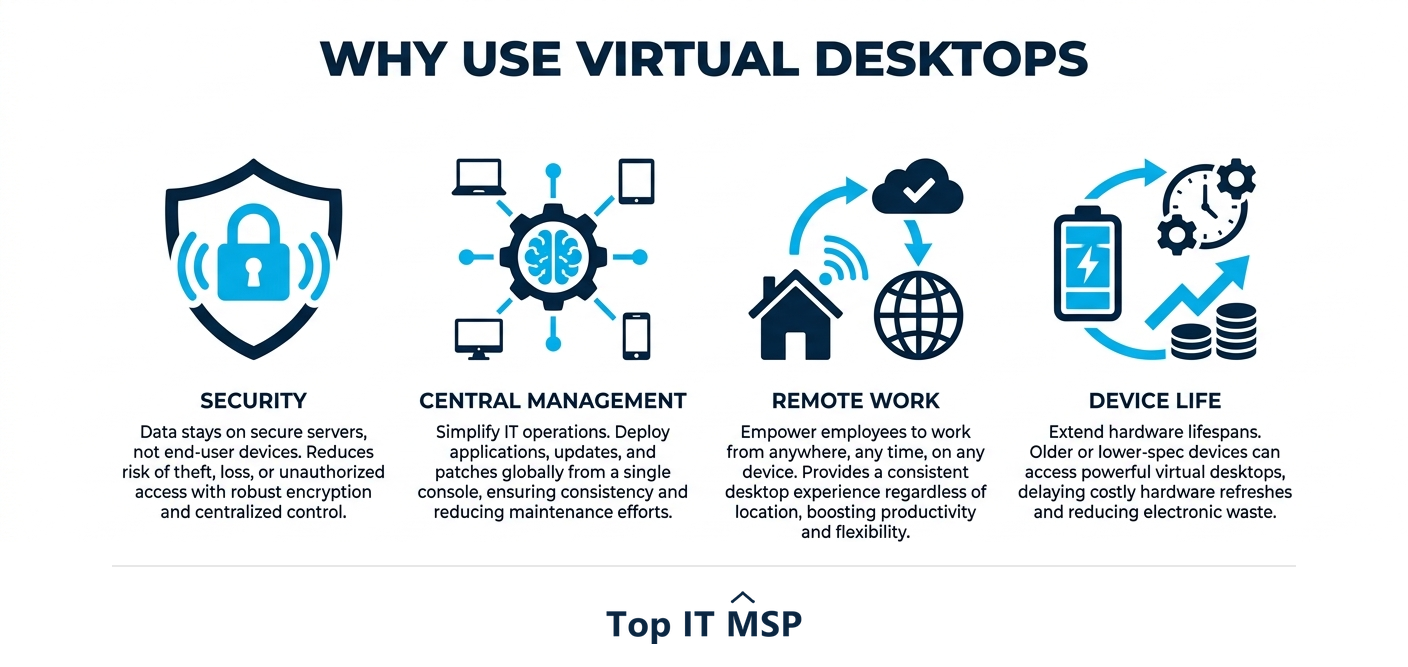
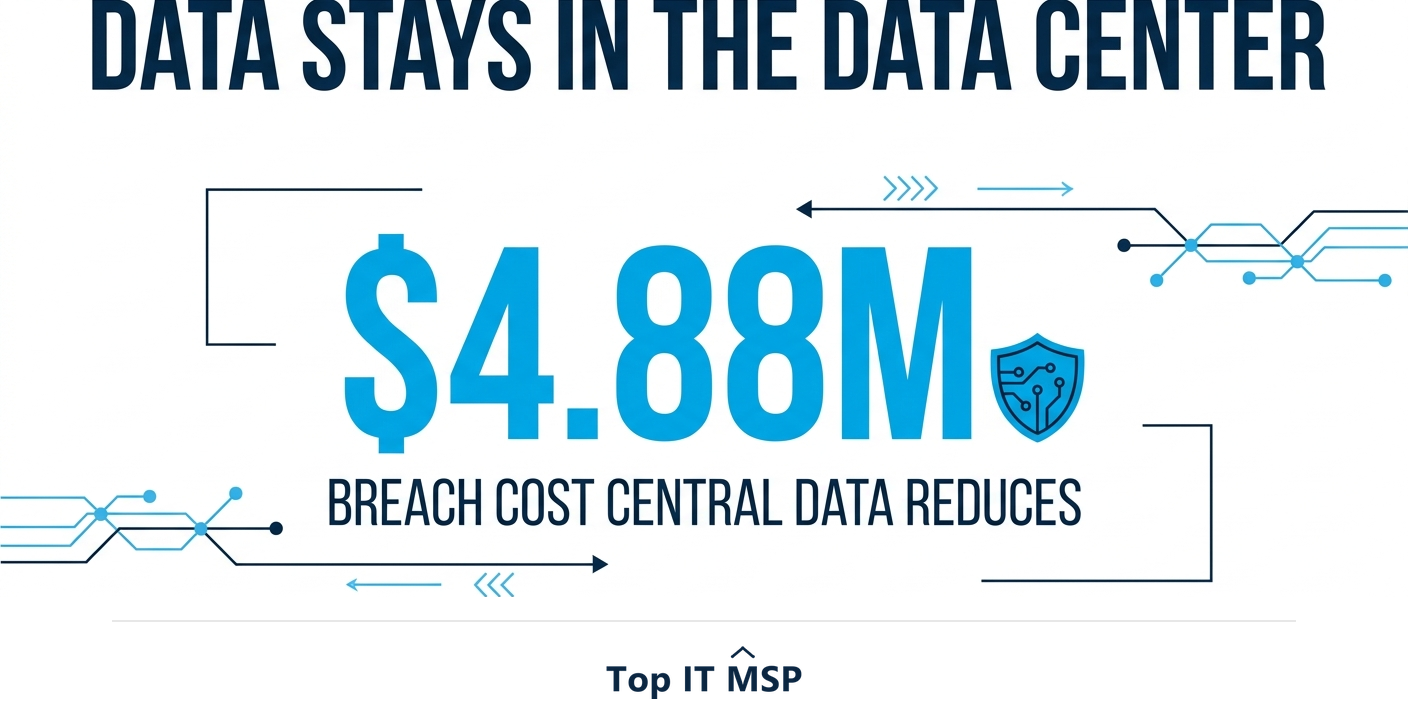
- Stronger security. Because data lives in the data center, not on the laptop, a lost or stolen device exposes nothing. That matters when the average data breach costs $4.88 million, the average breach takes about 258 days to identify and contain, and reported cybercrime losses top $12.5 billion a year.
- Central management. IT patches, secures, and updates every desktop from one console, instead of touching machines one by one.
- Remote and hybrid work. Staff get the same secure desktop from home, the office, or the road, on any device.
- Longer device life. Since the server does the heavy lifting, older or low-cost devices keep working for years, cutting hardware spend.
- Fast onboarding. A new hire gets a fully configured desktop in minutes, not days.
- Business continuity. If a device fails, the user simply logs in from another, avoiding the lost time that makes downtime cost most organizations over $100,000 an hour.
The drawbacks and trade-offs
Virtual desktops are not free of trade-offs, and being clear-eyed about them is part of choosing well. The biggest is dependence on a reliable network connection: if the internet goes down, so does access to the desktop, so connectivity becomes mission-critical. Performance for graphics-heavy or specialized workloads needs careful sizing, because users share server resources. And VDI specifically carries real upfront cost and complexity, requiring expertise to design and run well. DaaS removes most of that complexity but introduces an ongoing subscription cost and reliance on the provider. The right choice depends on your size, budget, and in-house skills.
What do virtual desktops cost?
Cost depends heavily on which model you choose. VDI is a capital-heavy investment: servers, storage, licensing, and the staff to run them, which can be efficient at large scale but is hard to justify for a smaller business. DaaS is priced as a predictable per-user monthly subscription, often bundled with management, so it turns a large upfront project into an operating expense that scales with headcount. Skilled virtualization talent is scarce amid a global shortfall of about 4.8 million cybersecurity and IT professionals, which is another reason many businesses prefer the managed DaaS route over building VDI in-house. The broader managed services market, worth about $330 billion in 2024 and projected to reach roughly $879 billion over the next decade, increasingly bundles virtual desktops as a managed service purpose-built for remote work. A managed provider can size, deploy, and run either model for you.
Who should use a virtual desktop?
Virtual desktops are an especially strong fit for businesses with remote or hybrid staff, those that handle sensitive data and want it off endpoints, organizations with seasonal or contract workers who need desktops spun up and down quickly, and regulated industries that must tightly control where data lives. They are less compelling if your whole team sits in one office on powerful workstations doing graphics-intensive work with no remote needs. For most small and midsize businesses weighing the options, DaaS delivers the benefits without the upfront burden of VDI.
If a virtual desktop sounds like a fit, the next step is to talk with a provider who can assess your workloads and recommend VDI or DaaS. To start from a vetted, merit-ranked list, browse providers by city in the Top IT MSP directory, where ranking is earned on rating and verified data.
Frequently asked questions
What is a virtual desktop?
A virtual desktop is a full desktop environment, including the operating system, applications, and files, that runs on a central server in a data center or the cloud rather than on your local device. You connect to it over the network from almost any device, while the computing and data stay centralized and secure.
What is the difference between VDI and DaaS?
VDI (Virtual Desktop Infrastructure) is hosted on servers your business owns and manages, giving maximum control but requiring significant upfront cost and expertise. DaaS (Desktop as a Service) delivers the same virtual desktops as a managed cloud subscription for a predictable per-user monthly fee, removing the upfront cost and most of the management.
What are the benefits of a virtual desktop?
The main benefits are stronger security because data stays in the data center, central management of every desktop from one console, easy remote and hybrid work from any device, longer device life since the server does the work, fast onboarding, and better business continuity if a device fails.
What are the drawbacks of virtual desktops?
The biggest drawback is dependence on a reliable network connection, since losing connectivity means losing access. Graphics-heavy or specialized workloads need careful resource sizing, and VDI specifically carries significant upfront cost and complexity. DaaS removes most complexity but adds an ongoing subscription cost and reliance on the provider.
How much does a virtual desktop cost?
VDI is capital-heavy, requiring servers, storage, licensing, and staff to run, which can be efficient only at large scale. DaaS is priced as a predictable per-user monthly subscription, often bundled with management, turning a large upfront project into an operating expense that scales with headcount. A provider can size either model to your needs.
Who should use a virtual desktop?
Virtual desktops fit businesses with remote or hybrid staff, those handling sensitive data they want off endpoints, organizations with seasonal or contract workers, and regulated industries that must control where data lives. They are less compelling for a single-office team on powerful workstations with no remote needs. For most small and midsize businesses, DaaS is the simplest route.
Related reading
Find a provider to deploy your virtual desktops
Top IT MSP is the independent directory of vetted managed IT providers across North America. Compare merit-ranked firms that deploy VDI and DaaS in your city, on real ratings and verified data. No pay-to-play.
Top IT MSP is an independent directory that connects you with vetted managed IT providers. Browse the directory city by city:
- Managed IT Services in Los Angeles
- Managed IT Services in Chicago
- Managed IT Services in Houston
- Managed IT Services in Dallas
- Managed IT Services in Wichita
- Managed IT Services in Albuquerque
- Managed IT Services in Anaheim
- Managed IT Services in Arlington
- Managed IT Services in Austin
- Managed IT Services in Bakersfield