What Is SharePoint and How Does It Work?
SharePoint is Microsoft's web-based platform for storing, organizing, sharing, and collaborating on documents and information. It works through sites that hold document libraries and lists, with fine-grained permissions, search, and deep integration across Microsoft 365. Most businesses use SharePoint Online, the cloud version, as the document and intranet backbone behind Teams and the rest of Microsoft 365.
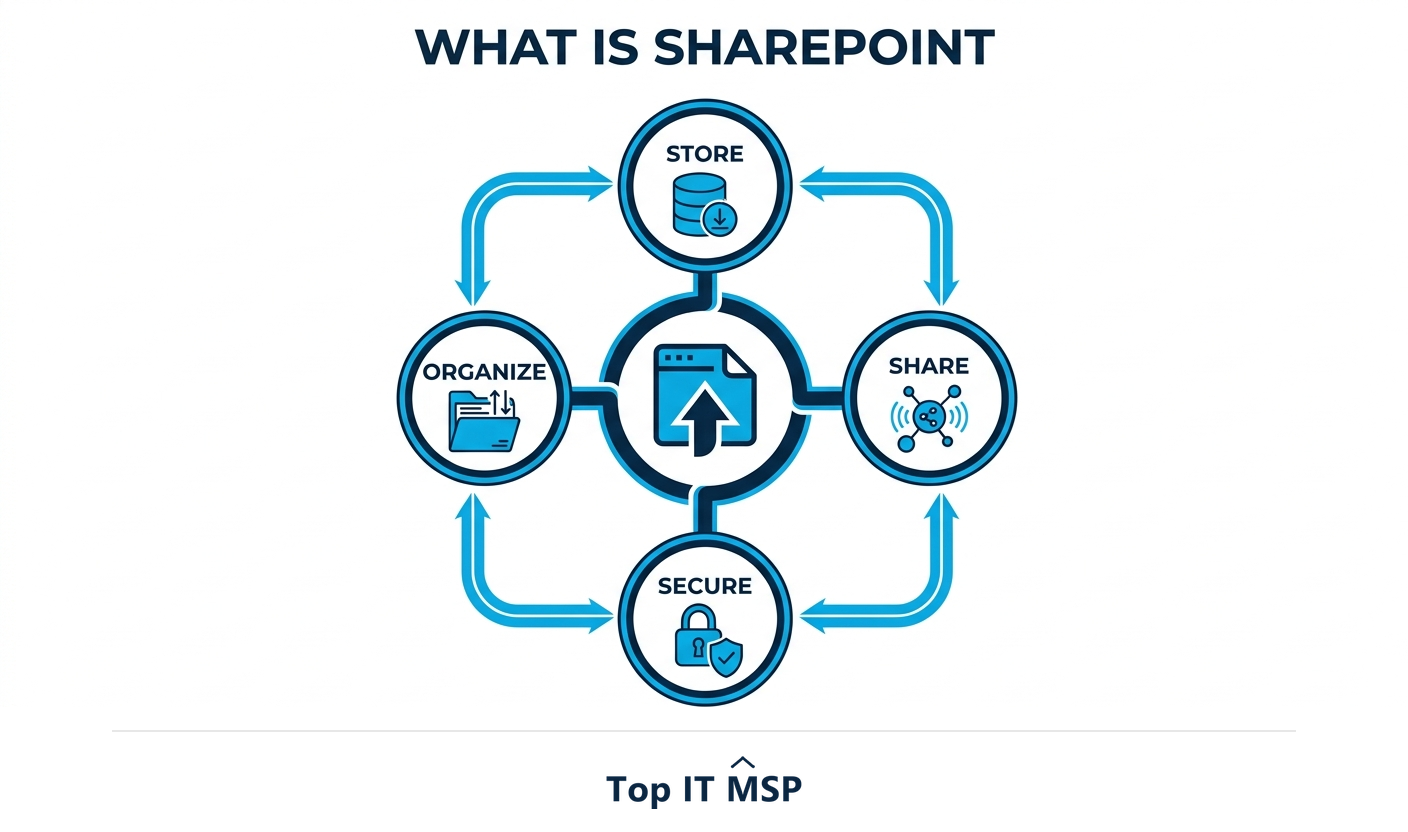
- SharePoint is a web-based document management and collaboration platform built into Microsoft 365.
- It is organized into sites, which contain document libraries (files) and lists (structured data).
- SharePoint Online is the cloud version; it is the storage layer that powers files in Microsoft Teams.
- Its strengths are central storage, version history, granular permissions, powerful search, and workflow automation.
- Poorly planned structure and permissions are the most common reasons SharePoint rollouts struggle.
What is SharePoint?
SharePoint is Microsoft's web-based platform for storing, organizing, sharing, and collaborating on documents and information across an organization. Think of it as a secure, central home for your company's files and knowledge, accessible from any device through a browser and woven into the rest of Microsoft 365. Teams use it to co-author documents, build intranet sites, manage projects, and automate routine processes, all in one place rather than scattered across personal drives and email attachments.
Most businesses today use SharePoint Online, the cloud-hosted version included with many Microsoft 365 plans, rather than the older on-premises SharePoint Server. The shift mirrors the broader move to the cloud, in a market where public cloud spending is forecast to top $723 billion in 2025, up from about $595.7 billion in 2024. This guide explains how SharePoint works, its core building blocks, how it differs from OneDrive and Teams, and how to get value from it. It pairs with our Microsoft 365 consulting overview.
How SharePoint works: the building blocks
SharePoint is organized into a simple hierarchy. Once you understand these four building blocks, the whole platform makes sense:
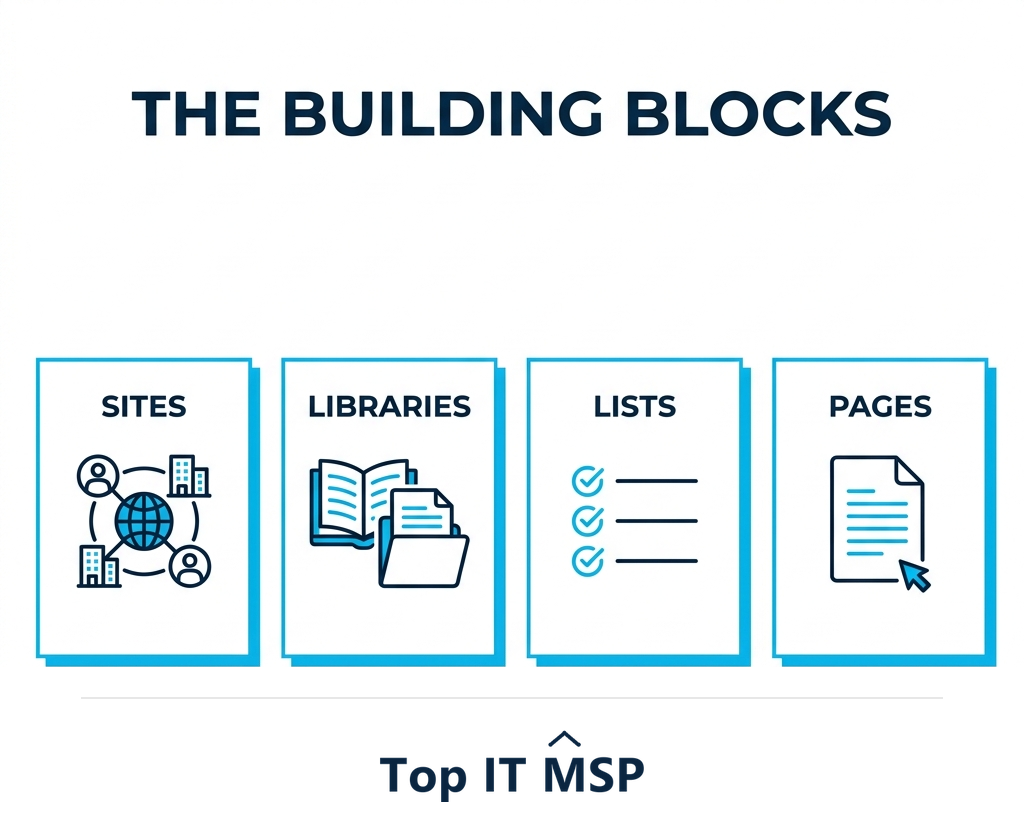
- Sites. A site is a container for a team, department, or project. Each site holds its own files, data, and pages, with its own permissions. A team site supports day-to-day collaboration; a communication site broadcasts news to a wider audience.
- Document libraries. A library is where files live. Unlike a plain folder, it adds version history, check-in and check-out, metadata, and co-authoring, so multiple people can work on the same document safely.
- Lists. A list stores structured information in rows and columns, like a smart spreadsheet, for things such as tasks, inventory, or issue tracking, with custom columns and views.
- Pages. Pages are the web pages within a site that present information, dashboards, and links, forming the intranet your staff actually see.
Underneath, every item is governed by permissions and made findable by search, two features that define whether a SharePoint deployment thrives or frustrates. Get the structure and permissions right and people find what they need in seconds; get them wrong and the same content becomes a maze nobody trusts. That is why the building blocks matter as much as the platform itself, and why planning them deliberately is the difference between a tool people love and one they quietly route around.
SharePoint vs OneDrive vs Teams
These three Microsoft tools overlap, which causes endless confusion. Here is the clean distinction:
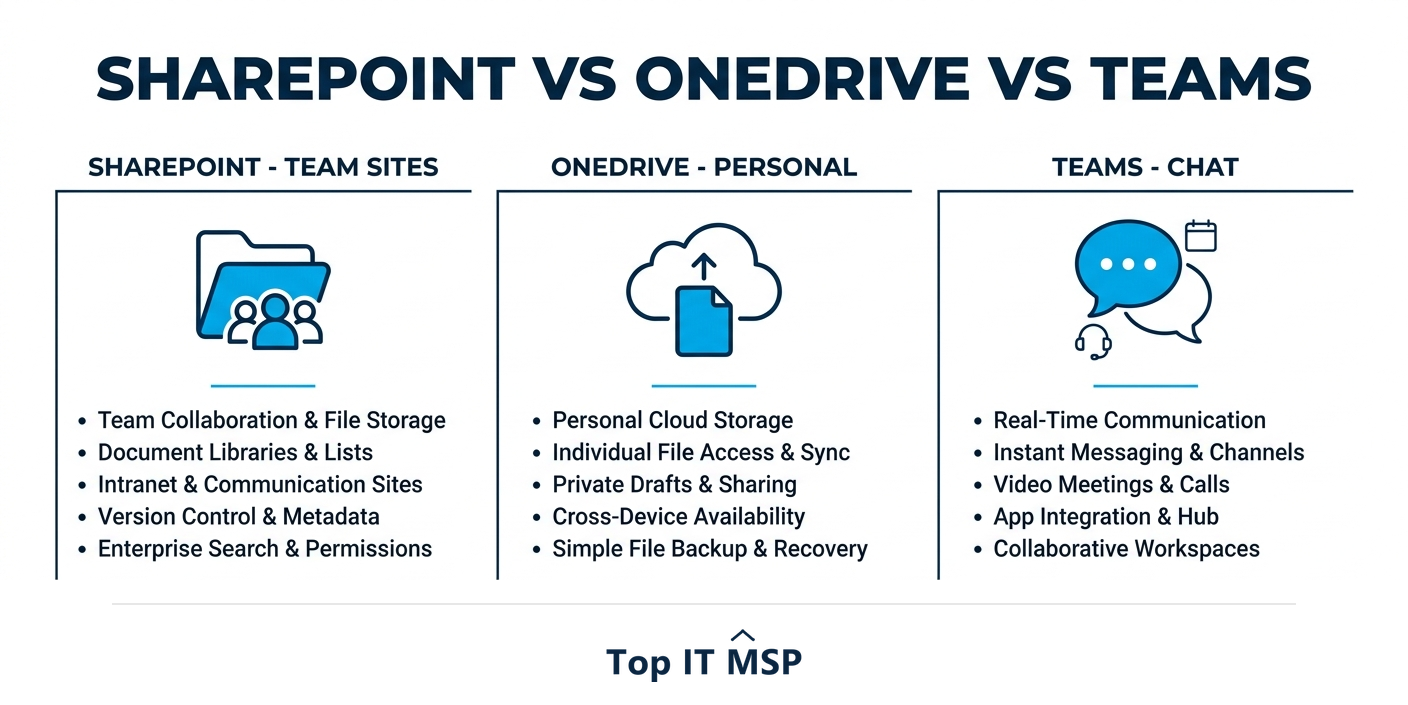
- SharePoint is shared storage for teams and the organization, the place for files that belong to a group, department, or project.
- OneDrive is personal storage, the place for your own work-in-progress files, like a private, cloud-based My Documents.
- Microsoft Teams is the chat and meeting hub, but the files you share in a Teams channel are actually stored in SharePoint behind the scenes.
In other words, SharePoint is the storage layer underneath much of Microsoft 365. When you share a file in Teams, you are using SharePoint without realizing it. Understanding this prevents the common mistake of treating the three as competitors rather than parts of one system.
The benefits of SharePoint
Used well, SharePoint replaces a tangle of file servers, email attachments, and personal drives with one governed system. Its main benefits are:
- Central, searchable storage. One source of truth for documents, with powerful search across everything you are allowed to see.
- Real-time co-authoring and version history. Multiple people edit the same file at once, and every version is saved so nothing is lost.
- Granular permissions. Control access at the site, library, folder, or file level, so people see only what they should.
- Workflow automation. With Power Automate, SharePoint can route approvals and automate repetitive document processes.
- Anywhere access and integration. Reach files from any device and work seamlessly with Teams, Outlook, and the rest of Microsoft 365.
- Security and compliance. Centralized data is easier to protect, back up, and govern, which matters when the average data breach costs $4.88 million, the typical breach takes about 258 days to identify and contain, and reported cybercrime losses top $12.5 billion a year.

Common SharePoint pitfalls
SharePoint is powerful, but rollouts often struggle for predictable reasons, almost always related to planning rather than the technology itself. The most common pitfall is poor information architecture: dumping every file into one giant library with no structure, which makes search and permissions a nightmare. The second is permission sprawl, where access is granted ad hoc until no one knows who can see what, a genuine security risk. Others include weak adoption because staff were never trained, and recreating old, messy file-server folder trees instead of using metadata and well-designed sites. Because skilled help is scarce amid a global shortfall of about 4.8 million cybersecurity and IT professionals, many businesses bring in a partner to plan the structure properly before migrating.
Getting the most from SharePoint
To succeed with SharePoint, plan before you build. Map your teams and projects to sites, design a simple, consistent structure, and use metadata and views instead of deep folder trees. Set permissions at the site level wherever possible, train your staff on how to find and co-author files, and turn on the security and backup controls that protect your data. Done right, SharePoint becomes the quiet backbone of how your organization stores knowledge and gets work done; done carelessly, it becomes another mess to clean up.
Many businesses get there fastest with a Microsoft 365 partner who plans the architecture, migrates cleanly, and configures security and backup. The managed services market, worth about $330 billion in 2024 and projected to reach roughly $879 billion over the next decade, reflects how many organizations now outsource exactly this kind of setup rather than improvising it in-house. A good partner will start by understanding how your teams actually work, design the site and permission structure around that, and migrate your existing files in a clean, organized way instead of copying old clutter into a new tool. To start from a vetted, merit-ranked list of providers by city, browse the Top IT MSP directory, where ranking is earned on rating and verified data.
Frequently asked questions
What is SharePoint?
SharePoint is Microsoft's web-based platform for storing, organizing, sharing, and collaborating on documents and information. It is built into Microsoft 365 and accessed through a browser, giving an organization a secure central home for files, intranet sites, lists, and automated processes instead of scattered file servers and email attachments.
How does SharePoint work?
SharePoint is organized into sites, each containing document libraries for files, lists for structured data, and pages that present information. Permissions control who can see and edit each item, and search makes everything findable. Most businesses use SharePoint Online, the cloud version, which also stores the files shared inside Microsoft Teams.
What is the difference between SharePoint, OneDrive, and Teams?
SharePoint is shared storage for teams and the organization, OneDrive is personal storage for your own work-in-progress files, and Microsoft Teams is the chat and meeting hub. Files shared in a Teams channel are actually stored in SharePoint behind the scenes, so SharePoint is the storage layer beneath much of Microsoft 365.
What are SharePoint document libraries and lists?
A document library is where files live, adding version history, check-in and check-out, metadata, and co-authoring on top of simple folders. A list stores structured information in rows and columns, like a smart spreadsheet, for things such as tasks, inventory, or issue tracking, with custom columns and views.
What are the benefits of SharePoint?
SharePoint provides central searchable storage, real-time co-authoring with version history, granular permissions, workflow automation through Power Automate, anywhere access, and deep integration with Teams, Outlook, and Microsoft 365. Centralizing data also makes it easier to secure, back up, and govern, which strengthens compliance.
Why do SharePoint rollouts fail?
Most struggles come from planning, not the technology. Common pitfalls are poor information architecture such as one giant unstructured library, permission sprawl that becomes a security risk, weak adoption because staff were not trained, and recreating messy old folder trees instead of using metadata and well-designed sites. Planning the structure first prevents these.
Related reading
Get SharePoint set up right with a Microsoft 365 partner
Top IT MSP is the independent directory of vetted managed IT and Microsoft 365 providers across North America. Compare merit-ranked firms in your city that plan, migrate, and secure SharePoint. No pay-to-play.
Top IT MSP is an independent directory that connects you with vetted managed IT providers. Browse the directory city by city:
- Managed IT Services in Dallas
- Managed IT Services in Phoenix
- Managed IT Services in Atlanta
- Managed IT Services in Philadelphia
- Managed IT Services in San Antonio
- Managed IT Services in San Diego
- Managed IT Services in San Fernando
- Managed IT Services in San Francisco
- Managed IT Services in San Jose
- Managed IT Services in Santa Ana