Backup and Disaster Recovery: A Complete Guide
Backup and disaster recovery (BDR) is how a business protects its data and gets back up and running after an incident like ransomware, hardware failure, or disaster. Backup is the copies of your data; disaster recovery is the plan and capability to restore systems and operations quickly. The key measures are RTO (how fast you recover) and RPO (how much data you can afford to lose), and the foundation is the 3-2-1 rule plus tested, often cloud-based, recovery. Without a tested BDR plan, a single incident can be catastrophic.
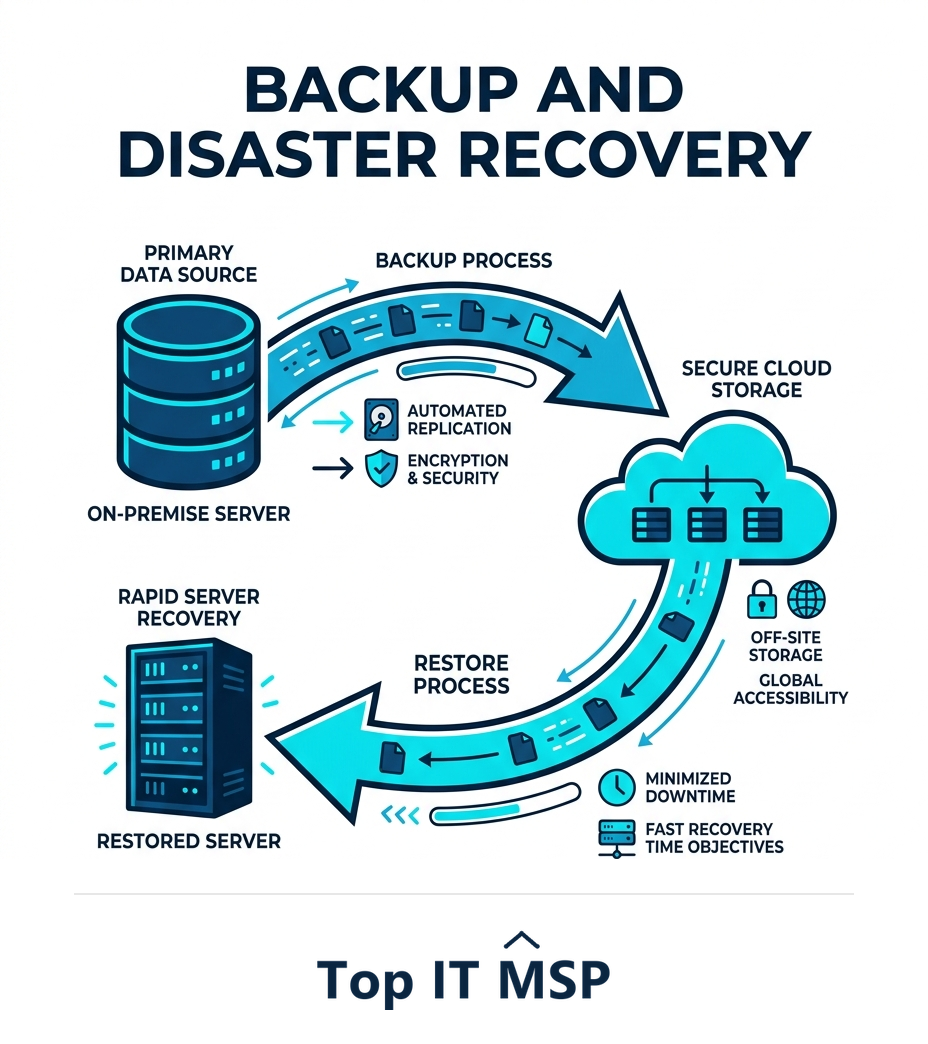
- Backup is copies of your data; disaster recovery is the plan and capability to restore systems and operations.
- RTO defines how fast you must recover; RPO defines how much data you can afford to lose.
- The 3-2-1 rule, three copies, two media, one offsite, is the foundation of reliable backup.
- A backup you have never tested by restoring is a hope, not a recovery plan.
- Without tested backup and disaster recovery, a single incident like ransomware can be catastrophic.
What is backup and disaster recovery?
Backup and disaster recovery, often shortened to BDR, is how a business protects its data and gets back up and running after something goes wrong, whether that is ransomware, a failed server, an accidental deletion, or a flood that takes out the office. The two halves work together but are not the same. Backup is the practice of keeping copies of your data so it can be restored. Disaster recovery is the broader plan and capability to restore not just the data but the systems and operations that run on it, quickly enough to keep the business alive. Every organization will eventually face an incident; BDR is what determines whether that incident is a minor disruption or an existential crisis. This guide explains how backup and disaster recovery work, the key concepts like RTO and RPO, and how to build a plan that actually works when you need it.
It pairs with our backup and disaster recovery overview and the managed IT services hub, and connects to our guide on business continuity vs disaster recovery.
Why backup and disaster recovery matters
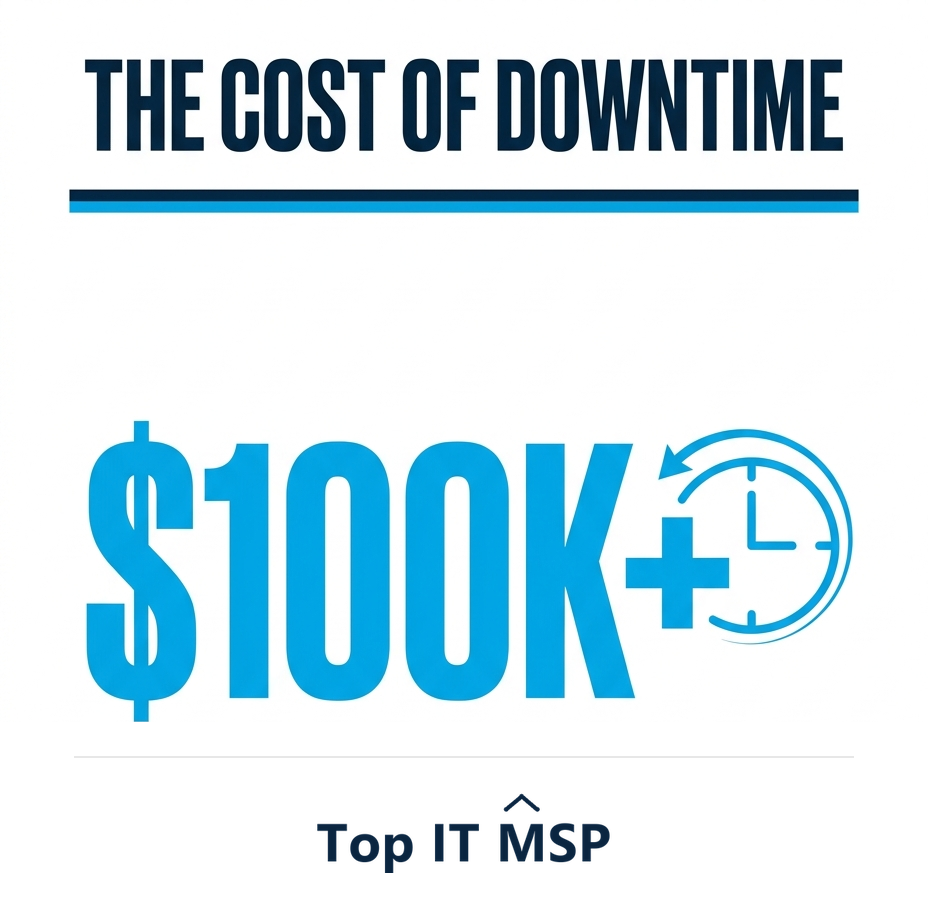
The case for BDR is simply the cost of not having it. When systems go down, the business stops, and an hour of downtime costs most organizations more than $100,000. Ransomware makes this acute: it encrypts your data and demands payment, and ransomware or extortion now features in about 32% of breaches, with a tested backup often the only way to recover without paying. Data loss from hardware failure or human error is just as real, and the human element is involved in 68% of breaches, while the average data breach costs $4.88 million. BDR is the safety net under all of it, the difference between recovering in hours and losing data, customers, or the business itself. It is not an optional extra; it is the foundation of resilience.
Backup vs disaster recovery: not the same thing
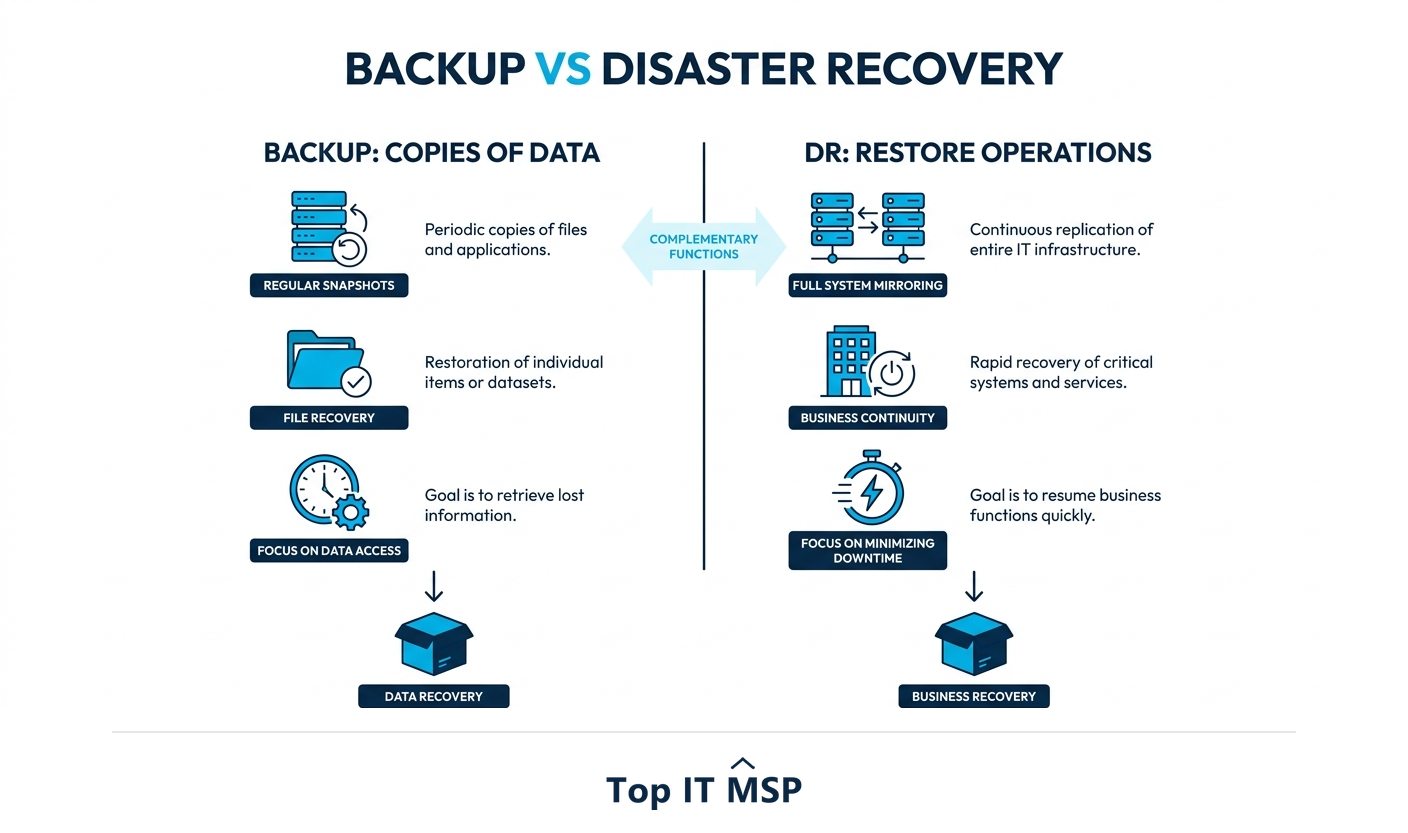
These terms are often used interchangeably, but the distinction matters. Backup is copies of your data, made regularly so that if the originals are lost or corrupted, you can restore them. Having backups is necessary but not sufficient, because restoring a large volume of data and rebuilding systems takes time you may not have. Disaster recovery is the broader discipline: the plan, the infrastructure, and the tested procedures to bring your systems and operations back online within a defined timeframe after a disaster. You can have backup without true disaster recovery, plenty of businesses do, and discover during a crisis that having the data is not the same as being able to operate. Good BDR includes both: reliable backups and a tested plan to recover and restore quickly.
The key concepts: RTO, RPO, and the 3-2-1 rule
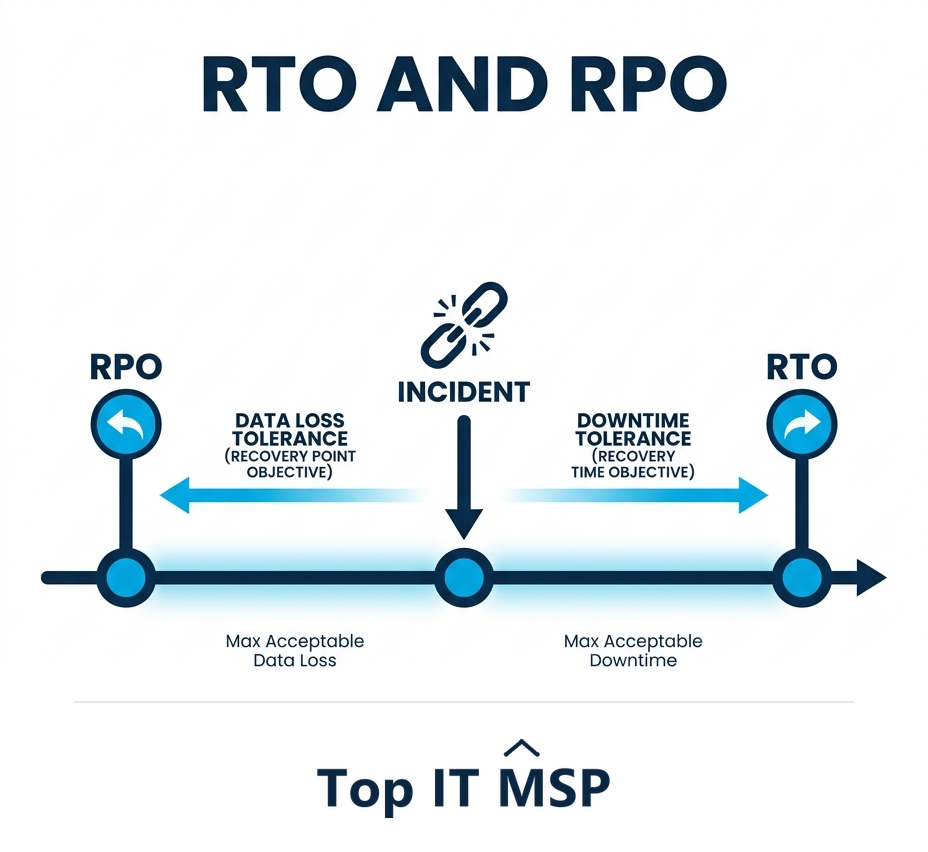
Two measures define what your recovery needs to achieve. RTO (recovery time objective) is how quickly you need to be back up and running after an incident, an hour, a day, a week. RPO (recovery point objective) is how much data you can afford to lose, measured in time: if you back up every 24 hours, you could lose up to a day's data. Tighter RTO and RPO cost more to achieve, so you set them based on what the business can actually tolerate. Underpinning the backups themselves is the time-tested 3-2-1 rule: keep at least three copies of your data, on two different types of media, with at least one copy offsite. This protects you against the failure of any single device, location, or method, and is the baseline any serious backup strategy should meet.
Types of backup and where data lives
Backups can live in several places, and most resilient setups combine them. On-site backups (to a local device or server) restore fastest because the data is right there, but they are vulnerable to the same fire, flood, or ransomware that hits the originals. Cloud backups store copies offsite in a provider's data center, protecting against local disasters and satisfying the offsite leg of the 3-2-1 rule, with the added benefit that they scale easily and are managed for you. A hybrid approach, local backups for speed plus cloud backups for safety, gives most businesses the best of both. Modern BDR also increasingly uses replication to replicate data continuously and even run systems on a redundant standby environment, so recovery is fast. This matters more as data spreads out: 40% of breaches involve data stored across multiple environments, which makes knowing where every copy lives part of the job. Whatever the mix, backups must be automated so they actually happen, and immutable or isolated where possible so ransomware cannot encrypt them too.
Building a disaster recovery plan
Technology alone is not a plan. A real disaster recovery plan documents what to do when an incident hits: which systems are most critical and in what order they should be restored, the RTO and RPO for each, who is responsible for what, how people communicate when normal systems are down, and the exact steps to recover. Crucially, the plan must be tested. A backup you have never restored, and a plan you have never rehearsed, is a hope rather than a capability, and the worst time to discover a backup is corrupt is during a real disaster. Regular testing, restoring data and walking through the recovery, is what turns BDR from a checkbox into genuine resilience. This is also why automation matters, with organizations using security AI and automation extensively saving an average of $2.22 million per breach by responding faster.
The cost of having no plan
Organizations without solid backup and disaster recovery tend to learn its value the hard way. When ransomware strikes or a server dies, they face an impossible choice, pay a ransom, attempt a slow and uncertain rebuild, or accept permanent data loss, while the meter runs at more than $100,000 an hour in downtime. The damage compounds because breaches take an average of 258 days to identify and contain, and an organization already on its back foot struggles to respond, especially when a security skills shortage pushes breach costs about $1.76 million higher. By contrast, a business with tested BDR treats the same event as a manageable disruption: it restores from clean backups, brings systems back within its RTO, and keeps operating. The relatively modest, predictable cost of good BDR is dwarfed by the cost of a single unmanaged disaster, which is why it is a core part of the managed services many businesses now buy, a market growing from about $330 billion in 2024 toward $879 billion over the next decade.
Getting backup and disaster recovery right
Every business will face an incident eventually; backup and disaster recovery decides how much it hurts. Get the fundamentals right, follow the 3-2-1 rule, set RTO and RPO the business can live with, combine local speed with cloud safety, automate and isolate backups against ransomware, and, above all, document and regularly test a real recovery plan, and you turn a potential catastrophe into a bad day. Because the stakes are existential and the details matter, many businesses rely on a provider to design, run, and test their BDR rather than risk discovering a gap during a crisis.
If you want help putting reliable backup and disaster recovery services in place, comparing vetted providers on merit is the place to start. Browse merit-ranked managed IT firms by city in the Top IT MSP directory, where ranking is earned on rating and verified data, not on who pays the most. You can also read our guide to business continuity vs disaster recovery.
Frequently asked questions
What is backup and disaster recovery (BDR)?
Backup and disaster recovery is how a business protects its data and restores operations after an incident like ransomware, hardware failure, deletion, or disaster. Backup is the practice of keeping copies of your data so it can be restored; disaster recovery is the broader plan and capability to bring systems and operations back online quickly. Together they determine whether an incident is a minor disruption or a crisis.
What is the difference between backup and disaster recovery?
Backup is copies of your data, made regularly so you can restore lost or corrupted files. Disaster recovery is the broader discipline, the plan, infrastructure, and tested procedures to bring systems and operations back online within a defined timeframe. You can have backups without true disaster recovery, and discover in a crisis that having the data is not the same as being able to operate.
What are RTO and RPO?
RTO (recovery time objective) is how quickly you need to be back up and running after an incident. RPO (recovery point objective) is how much data you can afford to lose, measured in time, so if you back up every 24 hours you could lose up to a day's data. Tighter RTO and RPO cost more to achieve, so you set them based on what the business can tolerate.
What is the 3-2-1 backup rule?
The 3-2-1 rule says to keep at least three copies of your data, on two different types of media, with at least one copy stored offsite. This protects against the failure of any single device, location, or method, including ransomware or a local disaster that hits both your originals and an on-site backup. It is the baseline any serious backup strategy should meet.
Are cloud backups better than on-site backups?
They serve different purposes, and most resilient setups combine them. On-site backups restore fastest because the data is local but are vulnerable to the same fire, flood, or ransomware as the originals. Cloud backups store copies offsite, protecting against local disasters and satisfying the offsite leg of the 3-2-1 rule. A hybrid of local speed and cloud safety gives most businesses the best protection.
Why do I need to test my backups?
Because a backup you have never restored, and a plan you have never rehearsed, is a hope rather than a capability. The worst time to discover that a backup is corrupt or a recovery step is missing is during a real disaster. Regular testing, actually restoring data and walking through the recovery, is what turns backup and disaster recovery from a checkbox into genuine, proven resilience.
Related reading
Make sure you can recover from anything
Top IT MSP is the independent directory of vetted managed IT providers across North America. Compare merit-ranked firms in your city that design and test backup and disaster recovery. No pay-to-play.
Top IT MSP is an independent directory that connects you with vetted managed IT providers. Browse the directory city by city:
- Managed IT Services in New York
- Managed IT Services in Los Angeles
- Managed IT Services in Chicago
- Managed IT Services in Houston
- Managed IT Services in Tulsa
- Managed IT Services in Vancouver
- Managed IT Services in Virginia Beach
- Managed IT Services in Washington, D.C.
- Managed IT Services in Wichita
- Managed IT Services in Albuquerque